

You already know roughly how many hours you worked this week. What you don't know is where they actually went, and that gap is expensive.
Freelancers who track time properly bill more accurately, spot scope creep before it eats a whole afternoon, and stop guessing when a client asks "how long did the redesign actually take?"
The tools below all do the core job well. The differences that matter are free-tier user limits, whether invoicing is built in, and how much you're paying once you add the features you'll actually use.
We tested five, verified current pricing against each provider directly, and picked one clear lead for freelancers, plus who each alternative actually suits.
Best overall: Toggl Track
Best for: Freelancers who want the cleanest daily-use experience and don't mind a 5-user cap on the free plan
Toggl Track earns the top spot for one simple reason: it's the tool you'll actually keep using. The one-click timer, automatic idle detection, and calendar integration mean less friction between deciding to track time and actually doing it, which matters more than any feature list once you're three months in.
The free plan covers up to 5 users with unlimited projects, clients, and integrations, which is plenty if you're working solo. Paid plans start once you need billable rates or project time estimates.
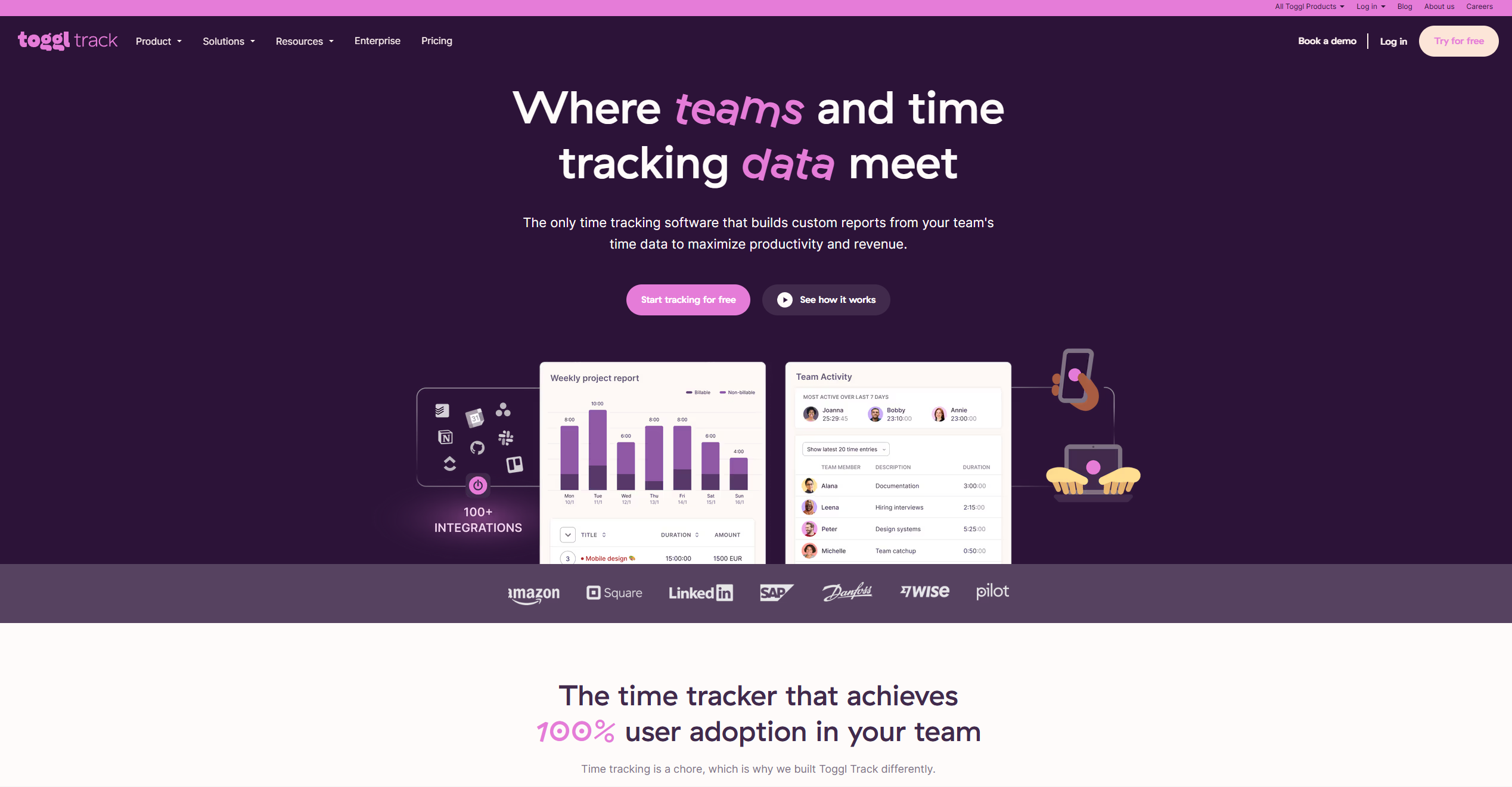
Toggl Track — plans
Free
$0/mo
Up to 5 users, unlimited projects and clients, autotracker, idle detection, calendar integration, and 100+ integrations. No credit card required and no time limit.
Starter
$9/mo
Adds billable rates, project time estimates, time rounding, and saved reports. Priced per user on annual billing; monthly billing runs a bit higher.
Premium
$18/mo
Adds profitability tracking, project forecasts, and timesheet approvals. Built more for small teams than solo freelancers, but the reporting depth is real.
What we liked: The autotracker and idle detection are the best in the category. Calendar integration turns meetings into draft time entries automatically, which saves the "wait, what was I doing at 2pm" problem entirely.
What could be better: The free plan's 5-user cap is generous for a solo freelancer but tight the moment you bring on a subcontractor or VA. Built-in invoicing is minimal, so most freelancers will pair it with a dedicated invoicing tool.
Best Invoicing Apps for Freelancers in 2026 (Free and Paid)
Best for unlimited users: Clockify
Best for: Freelancers who want to add collaborators or subcontractors without paying per seat from day one
Clockify's whole pitch is the free tier, and it holds up. Unlimited users, unlimited projects, and core time tracking at zero cost, with no artificial cap pushing you toward a paid plan before you're ready.
The catch is that invoicing, QuickBooks integration, and timesheet approvals all sit behind the Standard tier. For a freelancer who just needs to log hours and export a report, free is genuinely enough. The moment you want to turn tracked time into a client invoice inside the tool, you're paying.
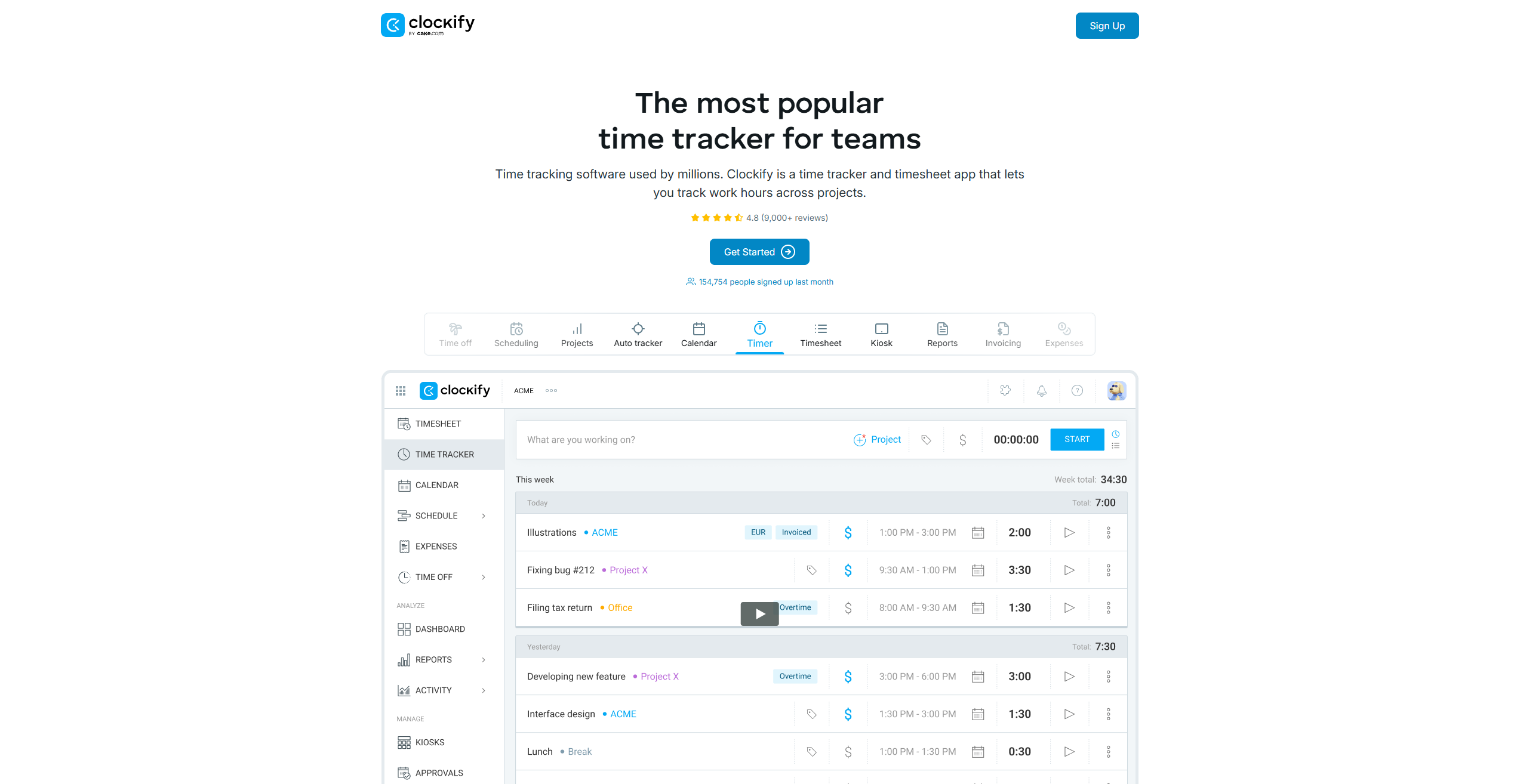
Clockify — plans
Free
$0/mo
Unlimited users and projects, timer and manual entry, basic reports, browser and mobile apps, and API access. No time limit and no trial gimmick.
Standard
$5.49/mo
Adds invoicing, task-level billable rates, QuickBooks integration, and timesheet approvals. Priced per user on annual billing. This is the tier most freelancers billing clients will land on.
Pro
$7.99/mo
Adds scheduling, capacity planning, profitability analysis, and screenshot monitoring. Aimed more at small agencies than solo freelancers.
What we liked: No user cap on the free plan is genuinely rare in this category. The Standard tier undercuts Toggl Track's equivalent by a meaningful margin while still including QuickBooks sync.
What could be better: The interface feels a step behind Toggl Track in polish, and some users report mobile sync issues. If a clean, fast mobile app matters to your workflow, test both before committing.
Best for automatic tracking: TimeCamp
Best for: Freelancers who forget to start timers and want the software to fill in the gaps
TimeCamp's angle is background tracking. Instead of remembering to hit start, it watches which apps and sites you're using and suggests time entries based on keywords, so a missed timer doesn't mean lost billable hours.
Like Clockify, the free plan has no user cap, which is unusual and worth taking advantage of if you're testing the category for the first time.
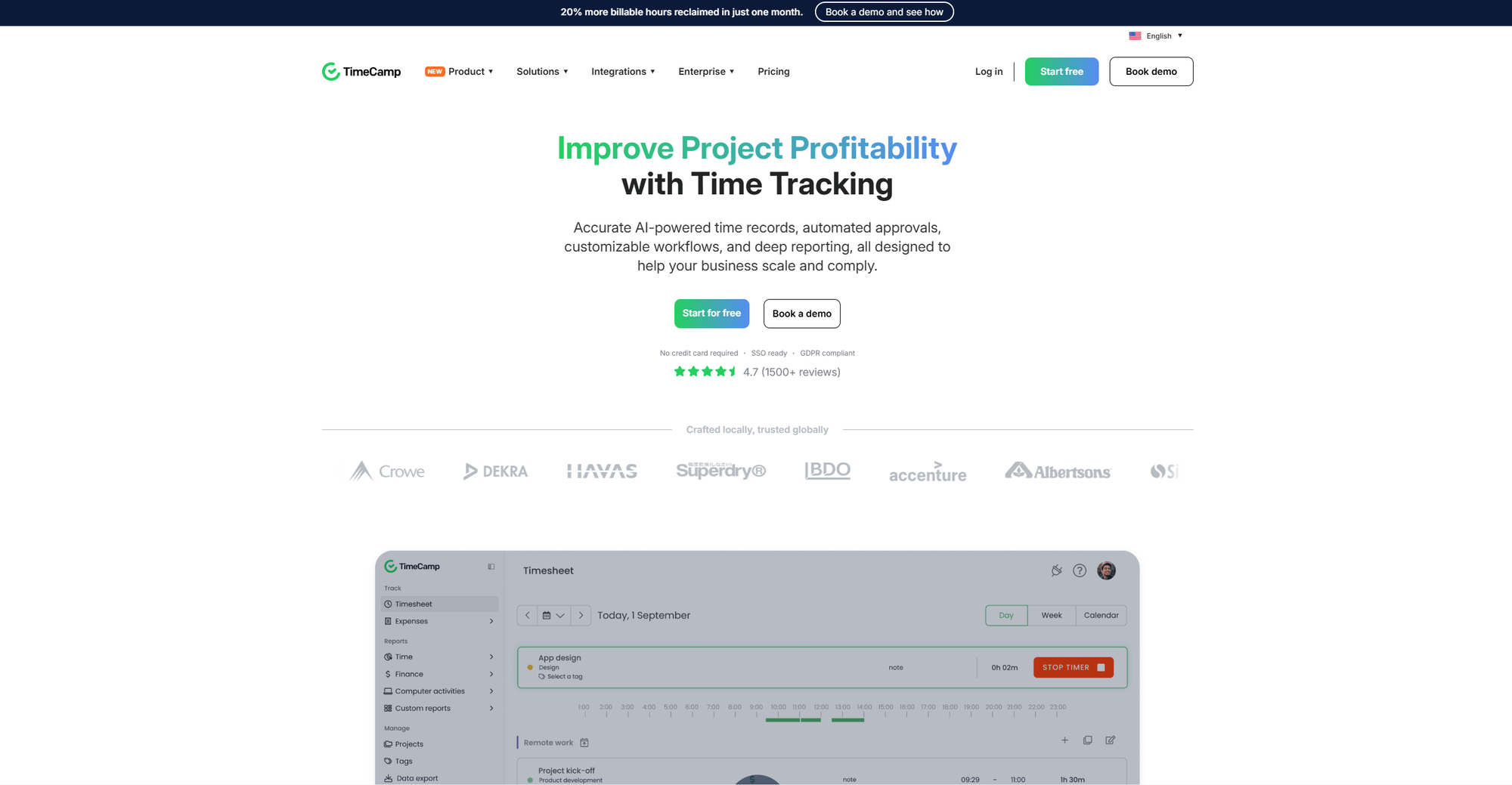
TimeCamp — plans
Free
$0/mo
Unlimited users and projects, project templates, bulk edit, desktop and mobile apps, one integration, and PDF export.
Starter
$3.99/mo
Adds more integrations and reporting depth. Priced per user on annual billing, and the cheapest entry-level paid tier in this list.
Ultimate
$9.99/mo
Adds invoicing, budgeting, and advanced reporting. Billed annually; monthly billing costs more per seat.
What we liked: The automatic tracking genuinely works and catches time you would otherwise lose. The free tier's lack of a user limit makes it a low-risk way to try the category.
What could be better: Some reviewers note the free plan can feel restrictive on exports and reporting once you're relying on it daily. Customer support has mixed reviews.
Best for invoicing: Harvest
Best for: Freelancers who want time tracking and client invoicing genuinely built into the same tool, and are willing to pay for it
Harvest doesn't compete on price. It competes on being the smoothest path from tracked hours to a paid invoice, with a browser extension that adds a timer directly to tools like Asana, GitHub, and Jira so you're tracking time where the work already happens.
Harvest raised its pricing in 2026, and there's no meaningful free tier anymore beyond a short trial, so it's the most expensive tool on this list. For freelancers who invoice regularly and want one less tool in the stack, that cost buys back real admin time.
Harvest — plans
Solo / Teams
$11/mo
Per seat. Includes time tracking, invoicing, project budgeting, expense tracking, and integrations with Stripe, QuickBooks, and Xero. A free trial is available but there is no permanent free tier.
What we liked: The invoicing is the real thing, not a stripped-down add-on. Offline tracking syncs cleanly, and the mobile apps are well reviewed.
What could be better: There's a real cost here compared to everything else on this list, and it went up in 2026. Freelancers on a tight budget who don't need built-in invoicing will get more value from Clockify or TimeCamp paired with a dedicated invoicing tool.
Best Invoicing Apps for Freelancers in 2026 (Free and Paid)
Best budget alternative: TMetric
Best for: Freelancers who want project budgeting and basic invoicing without paying Toggl or Harvest rates
TMetric sits quietly below the bigger names on price while still covering billable rates, project budgets, and simple invoicing. Pricing varies depending on billing cycle and which source you check, so confirm the current numbers directly on tmetric.com before committing, but expect it to land well under Toggl Track and Harvest at every tier.
What we liked: Real project budgeting at a price point most competitors reserve for higher tiers.
What could be better: The free plan's user limit is tighter than Clockify's or TimeCamp's, so it suits a true solo freelancer more than someone about to bring on help.
The time tracking stack at a glance
| Tool | Free tier | Starts at (paid) | Best for |
|---|---|---|---|
| Toggl Track | Up to 5 users | $9/mo per user | Cleanest daily-use experience |
| Clockify | Unlimited users | $5.49/mo per user | Adding collaborators without per-seat cost |
| TimeCamp | Unlimited users | $3.99/mo per user | Automatic background tracking |
| Harvest | Trial only | $11/mo per seat | Built-in invoicing |
| TMetric | Limited users | Check current pricing | Budget project budgeting |
How to choose the right one
Start with how you invoice. If you already have an invoicing tool you like, Toggl Track, Clockify, or TimeCamp will track time cleanly without duplicating that work. If you want time tracking and invoicing in one place and don't mind paying for it, Harvest is built for exactly that.
Then look at whether you'll ever add a second user. A subcontractor, a VA, a collaborator on a bigger project. If that's likely, Clockify or TimeCamp's unlimited free tiers protect you from an unexpected upgrade the moment you're not solo anymore.
If you forget to start timers constantly, TimeCamp's background tracking will save you more billable hours than any amount of discipline will.
Frequently asked questions
What is the best free time tracking app for freelancers?
Clockify and TimeCamp both offer genuinely unlimited free plans with no user cap, which makes them the strongest free options if you don't need built-in invoicing. Toggl Track's free plan is more polished but caps at 5 users.
Do I need a paid time tracking app as a freelancer?
Not necessarily. If you only need to log hours and export a report, the free tiers on Clockify, TimeCamp, or Toggl Track cover that fully. You'll want a paid plan once you need billable rate tracking, timesheet approvals, or invoicing built into the same tool.
Which time tracking app has the best invoicing?
Harvest has the most complete built-in invoicing, turning tracked hours directly into client invoices with Stripe, QuickBooks, and Xero integrations. It's also the most expensive tool on this list and has no permanent free tier.
Can time tracking apps replace my invoicing software?
Some can. Harvest and, at higher tiers, Clockify and TMetric include real invoicing. If you already use a dedicated invoicing tool you're happy with, most freelancers find it simpler to keep time tracking and invoicing separate and let each tool do one job well.