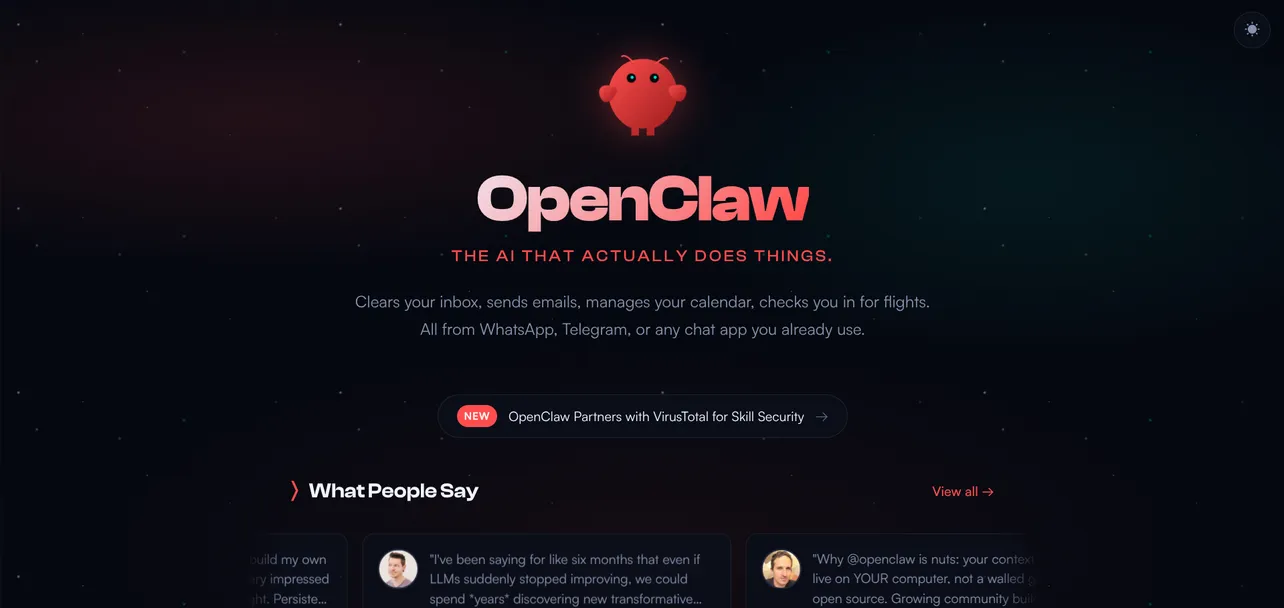
OpenClaw is a free, open-source AI agent that runs on your own hardware and talks to you through WhatsApp, Telegram, Slack, Discord, or whatever messaging app you already use.
Unlike ChatGPT or Claude, which wait for you to type something, OpenClaw goes and does things. It reads your emails, manages your calendar, posts to social media, deploys code, monitors your competitors, and sends you a summary before you've finished your morning coffee.
It was built by Austrian developer Peter Steinberger, the founder of PSPDFKit. What started as a weekend project called "WhatsApp Relay" in November 2025 has become the fastest-growing open-source project in GitHub history. On February 14th, Steinberger announced he's joining OpenAI, with the project moving to an open-source foundation.
The project has been through three names already. It launched as Clawdbot (a pun on Claude), got a trademark nudge from Anthropic, briefly became Moltbot, then settled on OpenClaw after the community agreed the lobster theme was worth keeping but the name needed work.
The mascot is still a lobster. Some things are sacred.
Why founders specifically should care
There are plenty of AI tools. Most of them are chatbots wearing different hats. OpenClaw is different because it's built around a simple idea that changes everything for resource-constrained founders: it runs 24/7, and it takes action without being asked.
That distinction matters when you're a one-person operation. You don't have a VA to triage your inbox at 6am. You don't have a marketing hire to schedule posts while you're heads-down building. You don't have a DevOps person watching your servers overnight.
OpenClaw fills those gaps. Not perfectly. Not without effort to set up. But it fills them. Here's what the actual founder use cases look like in the wild.
Real use cases from real founders
The "overnight team" pattern
This is the single most common pattern among founders using OpenClaw. You assign tasks before bed. You wake up to results.
One solo founder running a SaaS product at $13K MRR deployed multiple OpenClaw agents as his entire marketing department. One agent handles SEO content research. Another manages social media posting. A third monitors competitors. A single person running the marketing workload of a small team, all through messaging.
Another founder built a four-agent setup on a VPS, accessible entirely through Telegram. A strategy agent for planning and big-picture thinking. A dev agent for coding and architecture.
A marketing agent for research and content. A business agent for pricing and metrics. Each agent has its own context and personality, but they share memory on the important stuff. It runs like a small team, available around the clock.
Email and inbox management
This is reportedly the most popular use case across the entire OpenClaw community. Not writing emails. Managing them. Agents monitor incoming messages, unsubscribe from noise, group threads by urgency, summarise long chains, and prepare draft responses. Some users process thousands of messages a day and only see the handful that actually matter.
For founders drowning in inbox chaos, this alone might justify the setup time.
Content and social media
Founders building in public are using OpenClaw to maintain a consistent posting schedule without the constant context-switching.
Agents queue posts, schedule threads, monitor engagement metrics, and even scan feeds for relevant conversations to jump into. One user has an agent managing four separate X accounts, posting to LinkedIn, producing YouTube Shorts, and drafting replies in their voice.
For a publication like this one, the implications are obvious. Monitoring subreddits for founder stories, curating newsletter content, scheduling social posts, tracking what resonates. All handled in the background.
Development and DevOps
Developers are running OpenClaw inside Kubernetes clusters, managing game assets, debugging from logs, deploying code, and maintaining documentation. One common workflow is connecting it to GitHub so the agent can review PRs, fix bugs from stack traces, and submit patches while you sleep.
Others use it as a lightweight ops tool. Text "restart the dev server" from WhatsApp while you're walking the dog. The agent runs the command, confirms it worked, and goes back to sleep.
Daily briefings and personal operations
This is where OpenClaw starts feeling like having a chief of staff. Founders set up morning briefings that pull together weather, calendar events, health stats from wearables, trending news in their space, and a prioritised task list. All delivered to their phone before they get out of bed.
One user connected it to their Garmin watch, Obsidian vault, GitHub repos, and messaging apps. The agent logs health data, reminds them of their schedule, monitors website visitors, and even checks on them via Telegram if they've been quiet too long.
What it costs
OpenClaw itself is free. The costs come from the LLM API calls it makes to power the intelligence behind the agent.
Founders report spending between $100 and $500 per month depending on usage, with heavy daily users hitting the upper end. Some premium third-party skills on the ClawHub marketplace carry their own fees, but most are free.
For context, a part-time VA costs more than that. A marketing hire costs ten times that. The ROI calculation is pretty straightforward if you're using it well.
The honest downsides
It would be irresponsible to write this article without talking about the risks, and there are real ones.
Setup complexity. OpenClaw is a command-line tool. You need to be comfortable with a terminal, environment variables, and API keys. One of the project's own maintainers put it bluntly: if you can't understand how to run a command line, this is too dangerous for you to use safely. That's not gatekeeping. That's good advice.
Security. Cisco's AI security team tested a third-party OpenClaw skill and found it performed data exfiltration and prompt injection without user awareness. The skill repository doesn't have adequate vetting yet.
You're giving an autonomous agent access to your email, your calendar, your code, your messaging apps. If something goes wrong, it can go very wrong. Always review skills before installing them. Treat it like giving someone the keys to your entire digital life, because that's exactly what it is.
Prompt injection. This is an industry-wide unsolved problem, and OpenClaw is fully exposed to it. Malicious instructions hidden in emails, web pages, or messages could trick your agent into doing things you didn't authorise. The project team is working on hardening this, but it's not solved yet.
API costs can spike. Some users have reported monthly bills north of $3,000 when agents run unchecked. Set spending limits with your LLM provider. Monitor usage. Don't let an enthusiastic lobster burn through your runway.
How to get started (if you're going to try it)
The recommended path is straightforward if you're comfortable in a terminal.
- Run the onboarding wizard. Type
openclaw onboardin your terminal. The wizard walks you through setting up the gateway, choosing an LLM provider, and connecting your first messaging channel. - Start with one channel. Telegram or Discord are the easiest to set up. Don't try to connect everything on day one.
- Add skills gradually. The Google Workspace skill (called "Gog") is the most popular starting point. It connects Gmail, Calendar, Drive, Sheets, and Contacts in a single install. Set up a morning email summary and see how it feels before going deeper.
- Set boundaries. Use approval steps for anything that touches your file system or sends messages on your behalf. Start in "suggest and confirm" mode before you trust it to act autonomously.
- Budget for it. Expect $100 to $300 per month for moderate use. Set hard spending limits with your LLM provider from day one.
The bigger picture
OpenClaw matters beyond its own utility. It represents a shift in how solo founders and small teams can operate. The gap between what a one-person company can do and what a ten-person company can do just got dramatically smaller.
That gap hasn't disappeared. OpenClaw won't replace strategic thinking, relationship building, or the kind of taste that makes a product genuinely good. But it can handle the operational drudge work that eats founders alive.
The inbox management. The scheduling. The monitoring. The repetitive posting. The overnight deployments.
Steinberger's move to OpenAI, with the project transitioning to an open-source foundation, suggests this isn't going away. If anything, it's about to get a lot more polished and a lot more mainstream.
For founders who are technical enough to set it up safely and disciplined enough to set proper boundaries, OpenClaw is worth the time investment. For everyone else, it's worth watching closely. The tools it's pioneering will trickle down into simpler, more accessible products over the next year.
The lobster has arrived. The question is whether you're ready to let it into your stack.
OpenClaw is open source and available at github.com/openclaw/openclaw. Review any skills thoroughly before installing them. Set API spending limits. And for the love of everything, don't give an autonomous agent root access to your production server.