

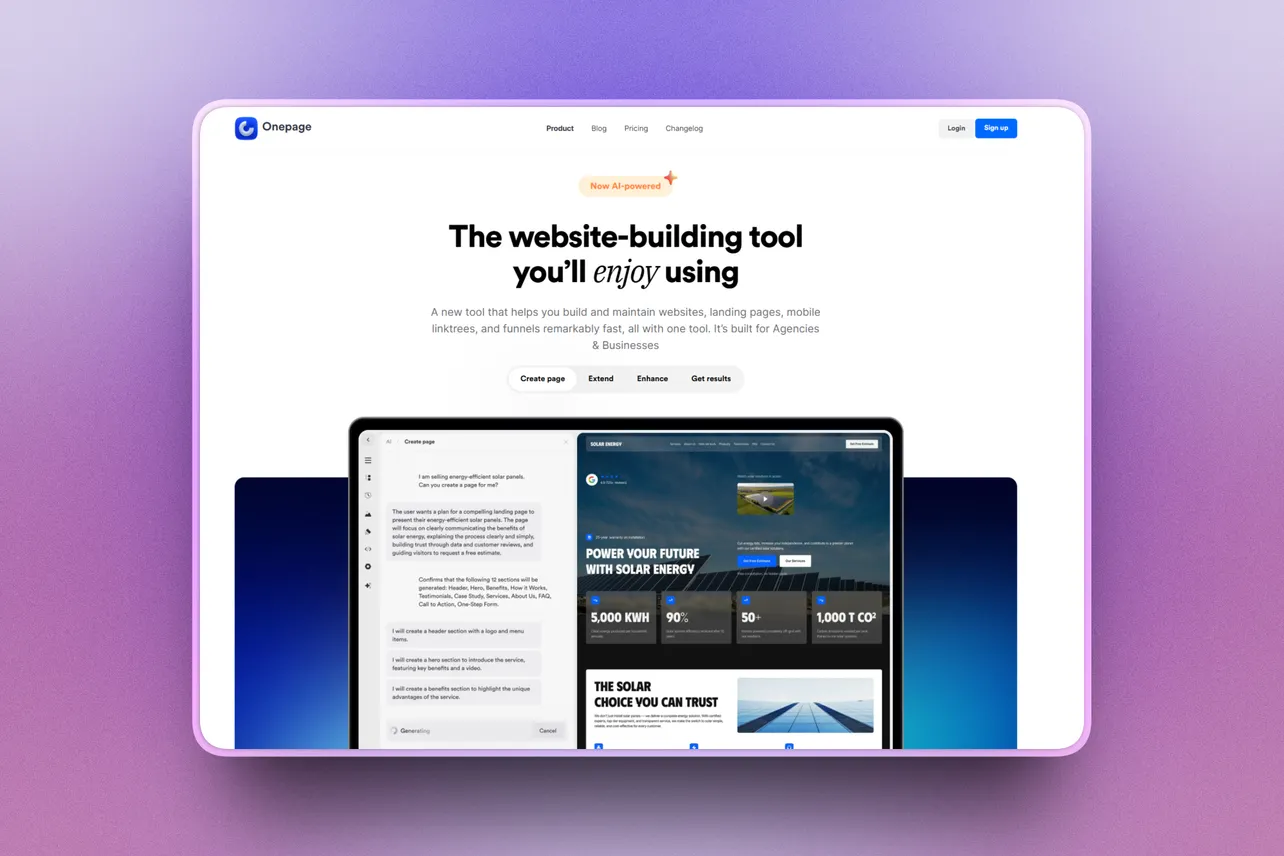
I’ve built enough websites to be wary of any tool promising to make the whole process effortless. A decent first screen is easy to admire. The harder questions arrive when the layout breaks, the copy makes something up, or you need to make a perfectly ordinary change yourself.
For this review, I gave Onepage a real brief: build a landing page for Early Stage Hires, my curated job board for founding, fractional and first-ten startup roles. I asked for an editorial design, clear routes for founders and candidates, featured roles, salary and equity transparency, and an email signup.
It was a fair test of the builder, and I knew enough about the project to spot when its output went astray.
Getting started
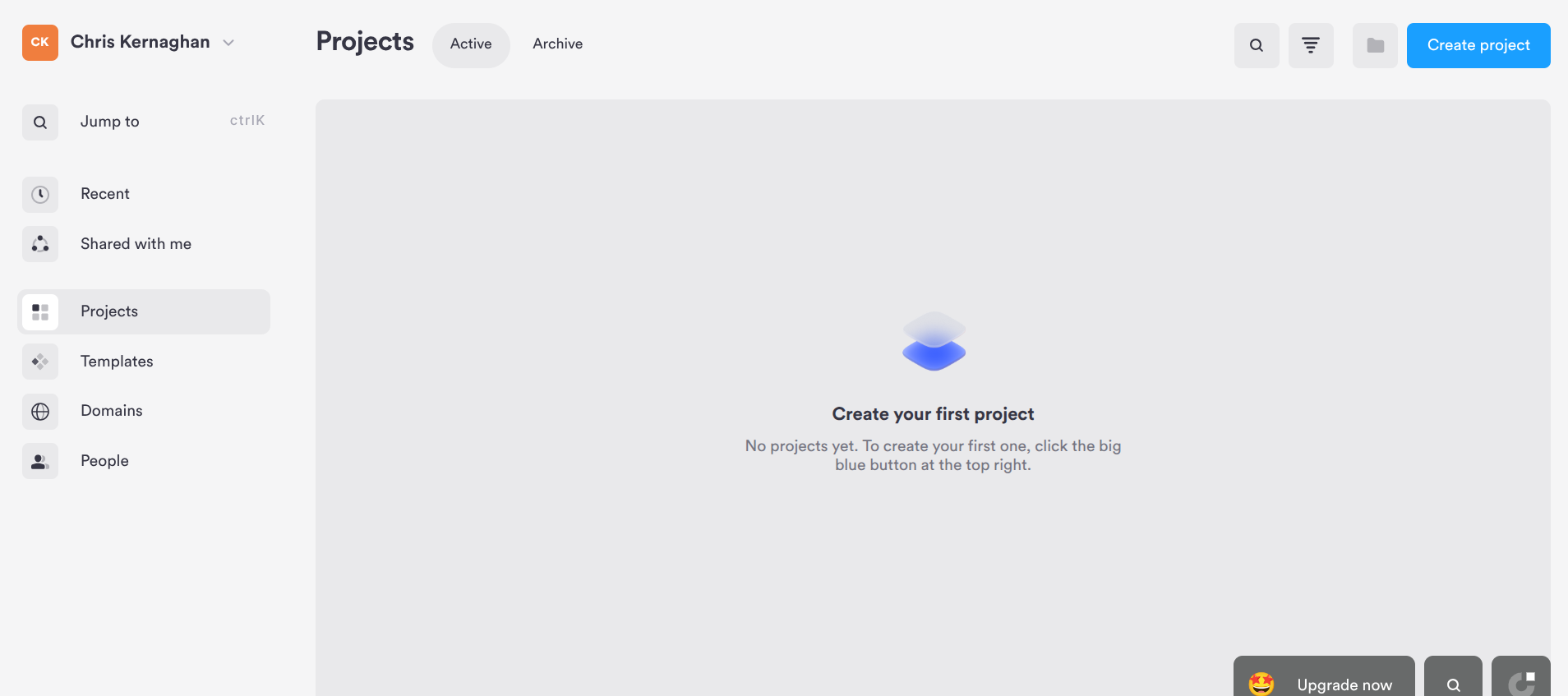
The supplied account opened to an empty Projects dashboard. Creating a project took me straight into a prompt-led editor, with the AI conversation on one side and a live page preview on the other. There was no elaborate setup to get through before I could describe what I wanted.
I gave Onepage AI a fairly detailed brief. It understood that Early Stage Hires was a two-sided job board, and it picked up on the request for a restrained, editorial look. That was encouraging, although the first generation took long enough that I wondered if it had stalled.
I waited roughly seven minutes from submitting the prompt to having something useful appear in the editor. Onepage later reported a generation time of 3 minutes 16 seconds. The company explained that its timer begins after the necessary tools have been prepared in the background, so the displayed figure doesn’t include the complete wait experienced by the user.
I do think it's worth pointing out that Onepage reproduced the same prompt with only around 30 seconds of preparation, suggesting my longer wait may have been caused by a temporary server issue rather than typical performance. Seven minutes was still my experience during this test, but I’ll continue using the builder and update this review if it proves to have been an outlier.
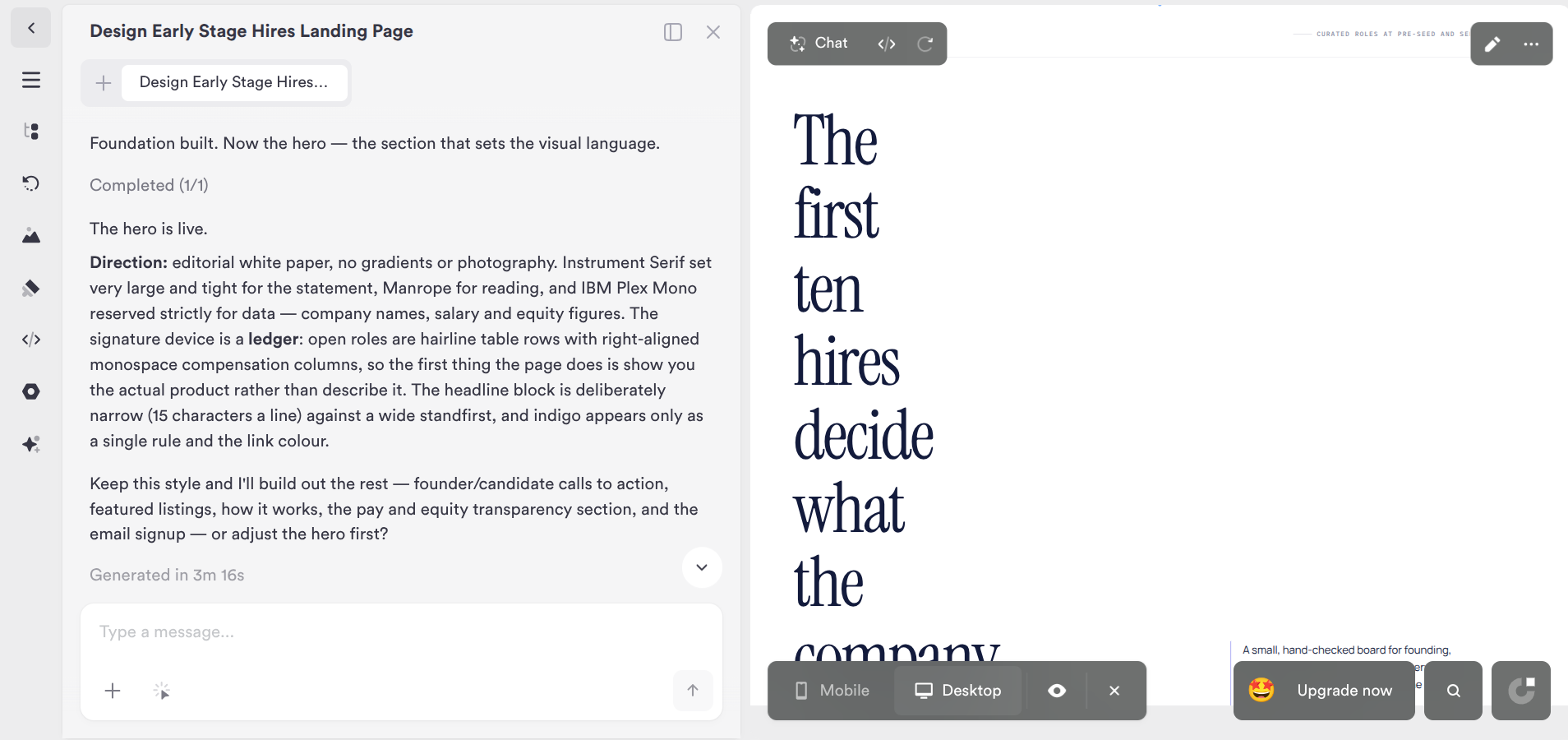
The first page looked promising, then I opened it properly
The initial design had character. It used a large serif headline, plenty of white space and job listings styled more like an editorial ledger than a row of generic cards. The writing generally sounded plausible for the project, and the builder had paid attention to the salary and equity angle.
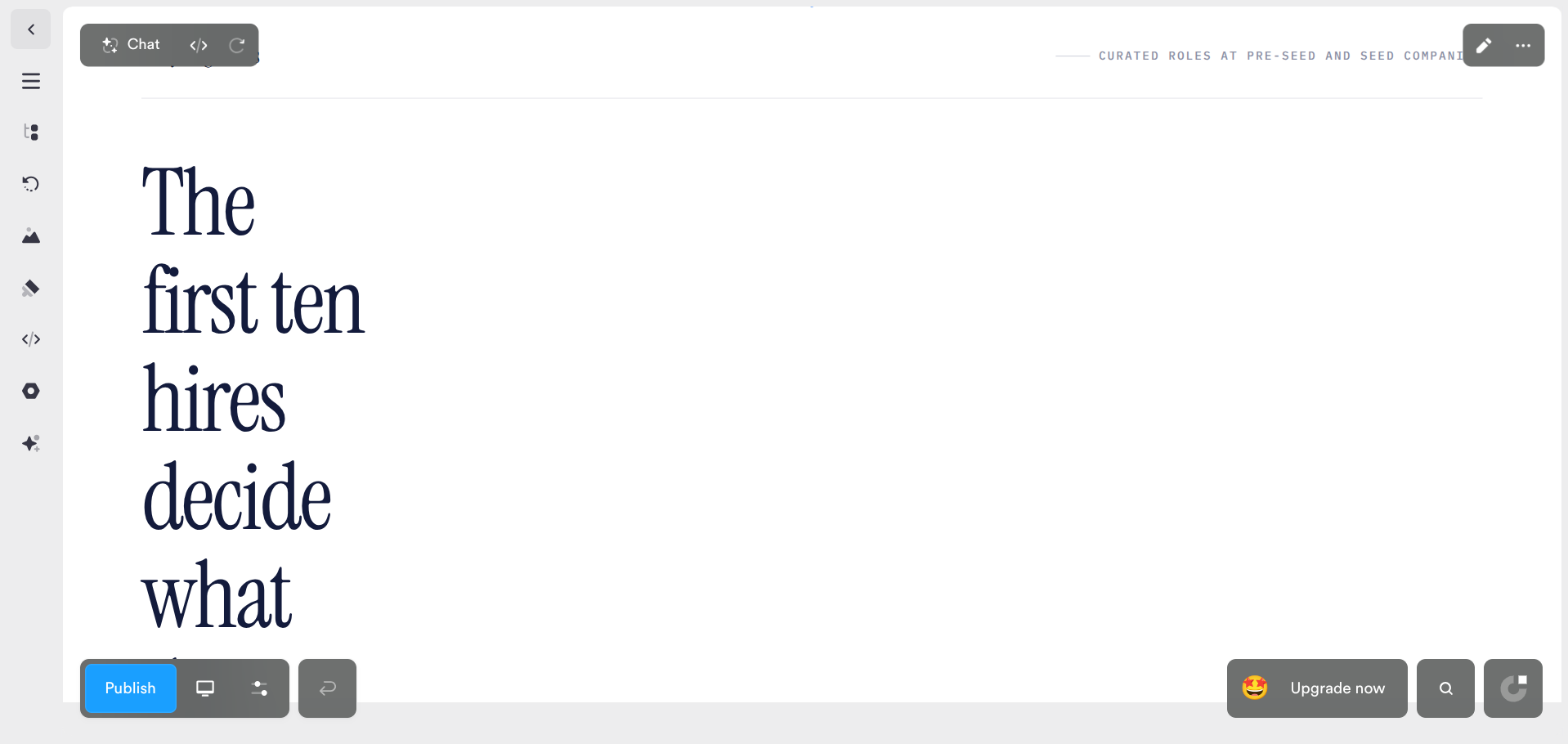
But the headline was trapped in a remarkably narrow column. I first thought the split editor might be squeezing the preview. Opening it at full width confirmed the problem: words stacked down the page while a large part of the hero sat empty. For a landing page, that’s a fairly fundamental miss.
I described the problem in plain English and asked Onepage AI to widen the headline without losing the visual direction. It revised the page in 1 minute 19 seconds. The result was much better: the headline became readable, the supporting copy and both calls to action were visible, and the listings sat naturally below.
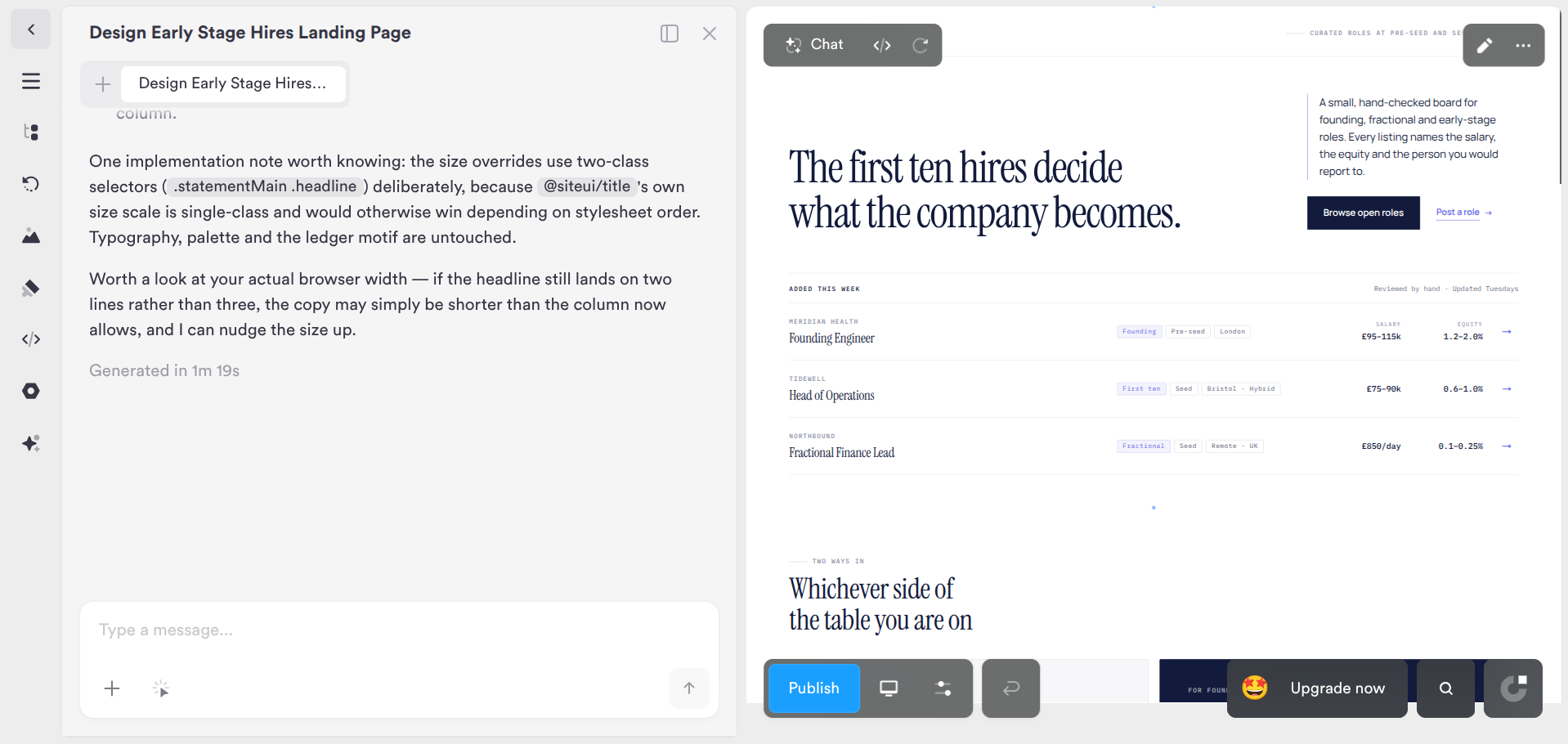
That back-and-forth is probably the most useful part of the builder. The first attempt was flawed, but I didn’t have to start again or explain the entire design. Onepage understood the specific complaint and kept the parts I liked. Its explanation of the fix got into CSS selector details, which felt oddly technical for a no-code workflow, but the change itself worked.
See what Onepage can build from your brief. Start free, give it a real project and judge the result yourself.
What happened on mobile?
At first glance, the mobile version held up nicely. The hero wrapped naturally, the body copy was readable, both calls to action remained visible, and the featured roles stacked into a sensible layout.
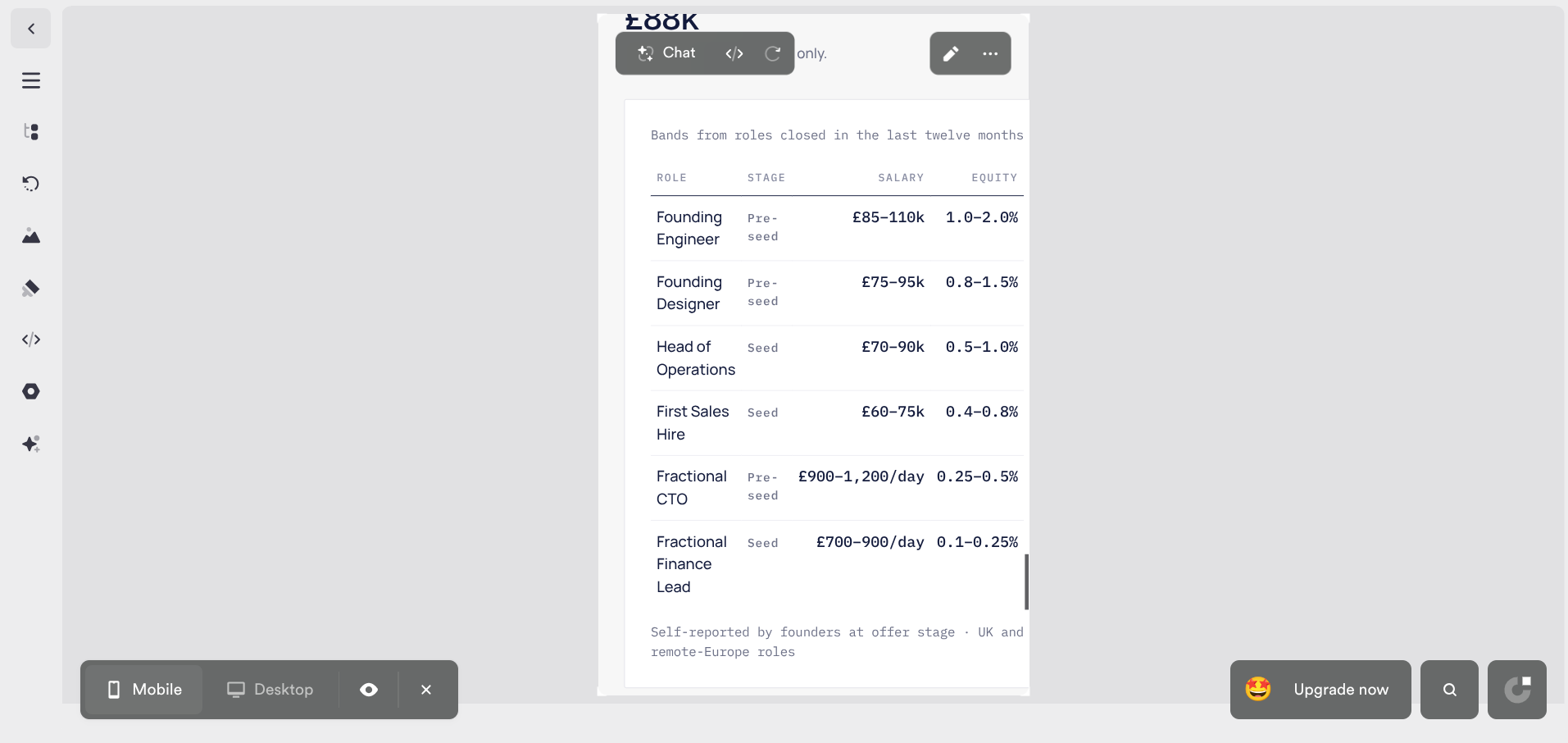
Further down, I found a problem I nearly missed. The salary and equity table was wider than the mobile viewport. Values and supporting text were cut off on the right. I initially overlooked the clipping while reviewing the section, which says something about how easily these issues can slip through when a page otherwise looks polished.
I asked Onepage AI to keep the desktop table, but turn each mobile row into a card with clearly labelled role, stage, salary and equity fields. It did exactly that. The new layout was far easier to read and kept the numbers on screen.
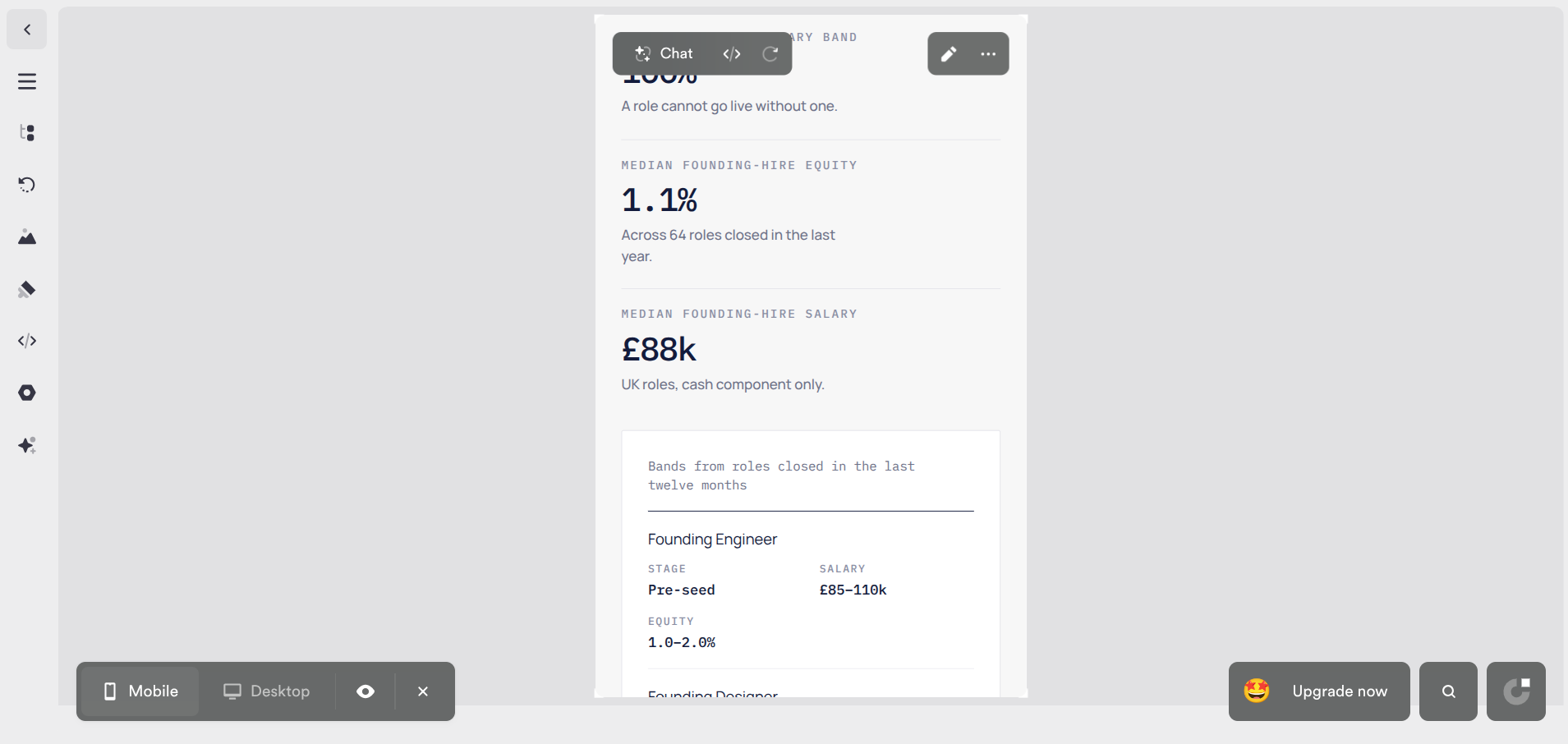
It’s a good recovery. It’s also a reminder to check the entire mobile page, especially sections containing tables and long values. A good-looking hero doesn’t tell you whether everything below it works.
The copy needs a human editor
Onepage invented example companies, roles, salaries and equity ranges to fill out the design. That’s an obvious consequence of asking AI to build a page for a business it only knows through a prompt, rather than a criticism unique to Onepage.
As with most AI tools, you shouldn’t expect to publish the output verbatim. The real value is getting roughly 90% of the work done quickly, leaving the final 10% to someone who understands the business. In this case, that meant replacing the sample listings, checking claims about how Early Stage Hires operates and giving the copy a proper editorial pass.
Editing and extending the page
Generating the page was only half the test. I also wanted to know what Onepage was like once the AI stepped aside and I had to make ordinary edits or add something new myself.
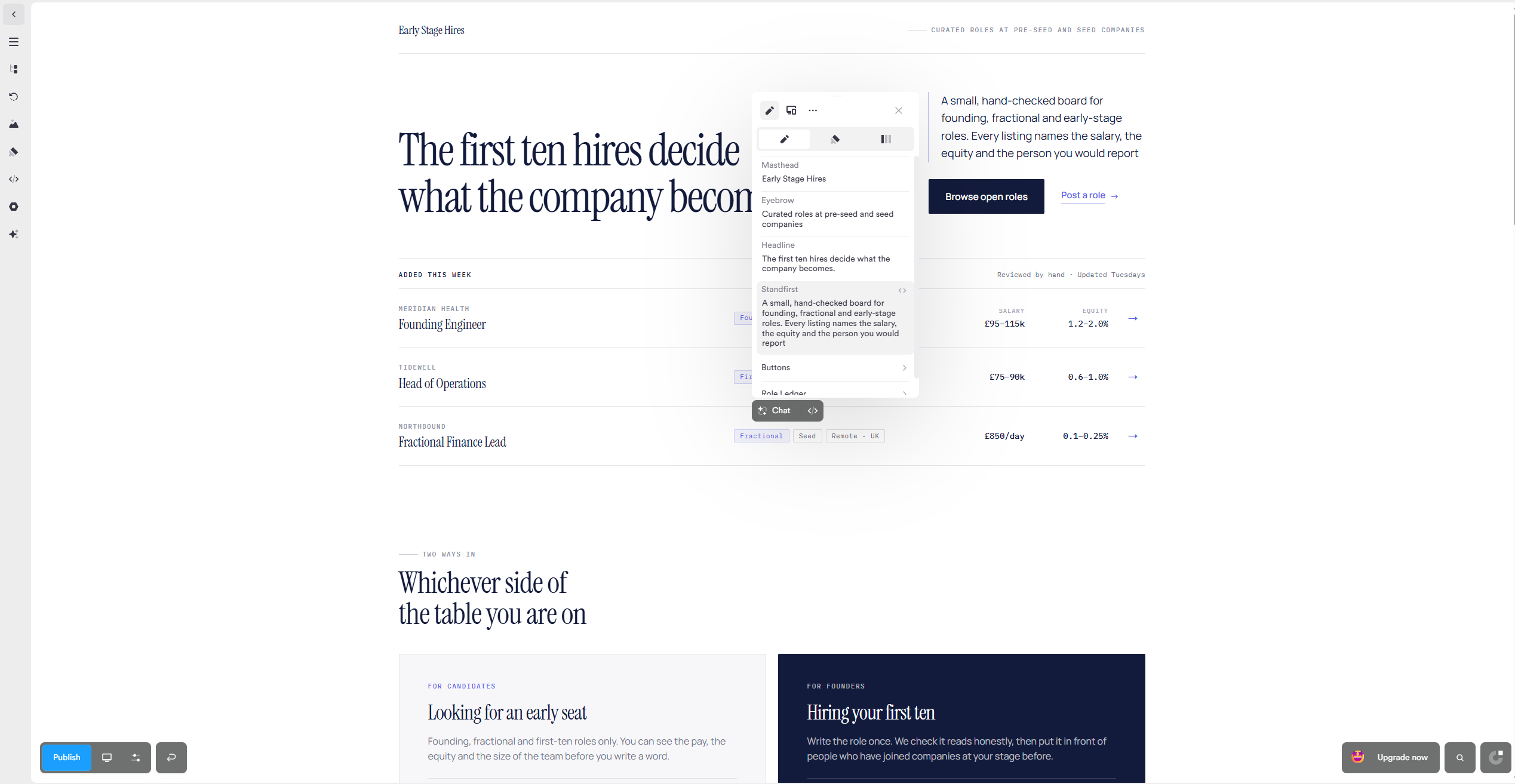
I edited the standfirst manually, replacing the generated copy with wording that better reflected Early Stage Hires. The controls appeared as soon as I selected the text, so there was no hunting through menus or separate settings panels.
The change appeared on the page immediately, and the undo button restored the previous version without any fuss. It felt much closer to editing the finished page than wrestling with a website builder.
Adding something new was similarly straightforward. The Add section panel includes ready-made layouts for covers, product sections, calls to action, galleries, testimonials, pricing tables and other common page elements. I could choose one visually and insert it without touching the underlying HTML.
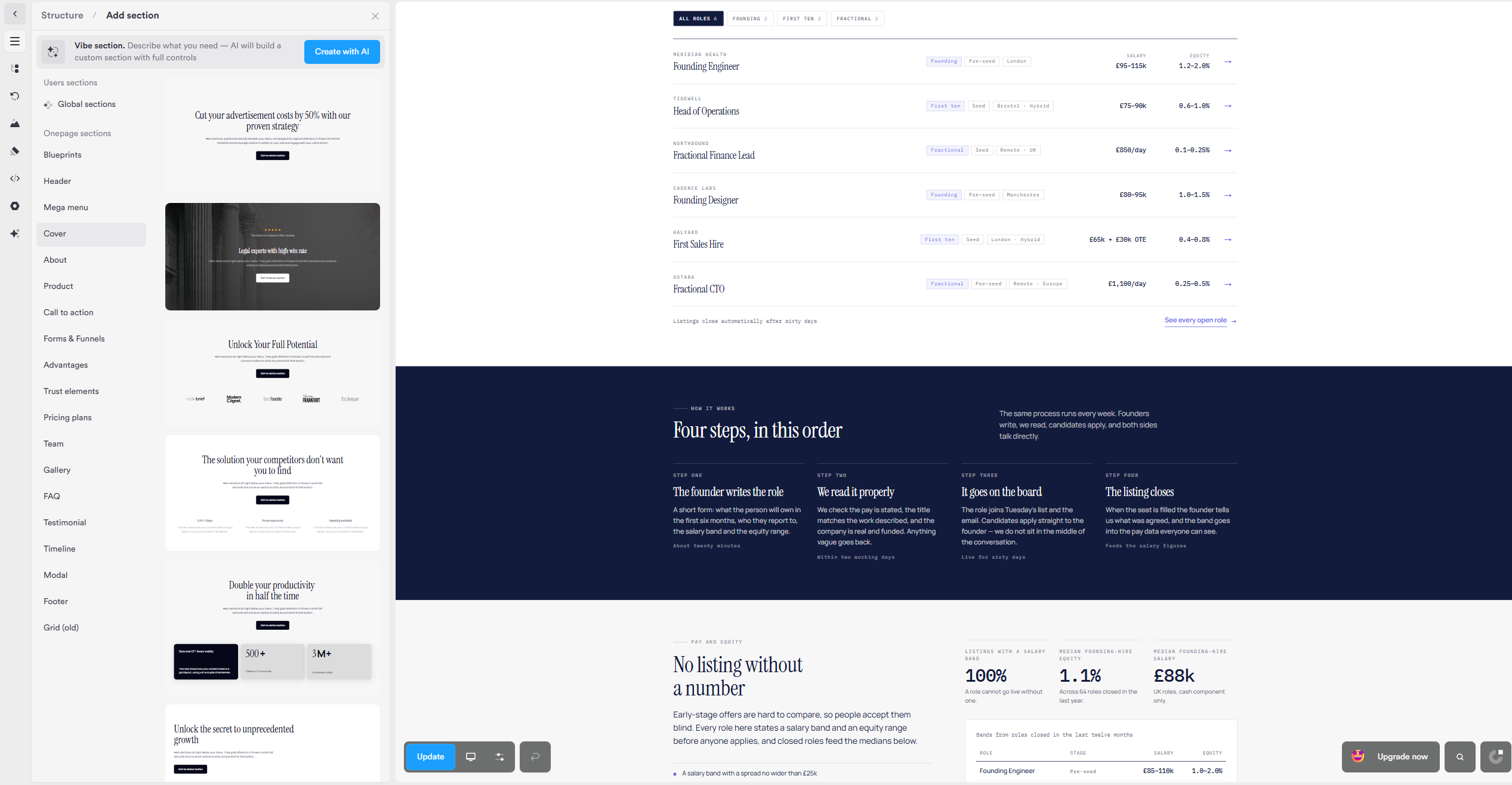
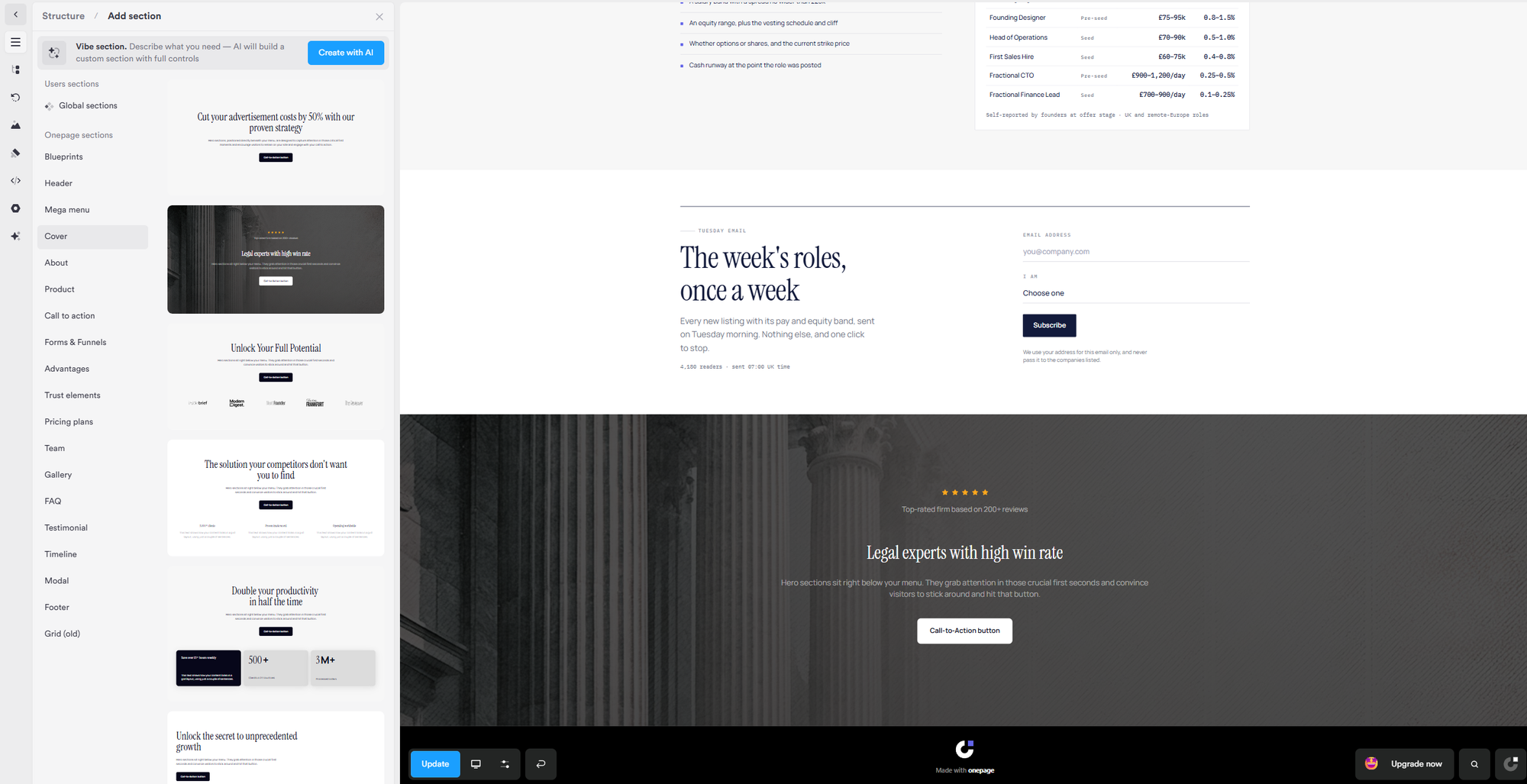
Adding a section in Onepage: pick a category from the Add section panel, choose a pre-built layout, and it drops straight onto the page, ready to edit
There’s also a Vibe section option for anything less conventional. You describe what you need and Onepage AI creates a custom section with its own visual controls, allowing it to be adjusted afterwards.
For something as ordinary as placing an image beside a block of text, I didn’t need to write code at all. Custom HTML and CSS remain available for more specialized work, but they aren’t the starting point Onepage expects most people to use.
See what Onepage can build from your brief. Start free, give it a real project and judge the result yourself.
Testing the lead capture
The generated signup form was already connected to Onepage’s CRM, although that wasn’t immediately obvious from the visual editor. I wasn’t expecting to connect it to a different service; I simply couldn’t see where submissions were being sent. A visible connection status or “View in CRM” link would have made that clearer.
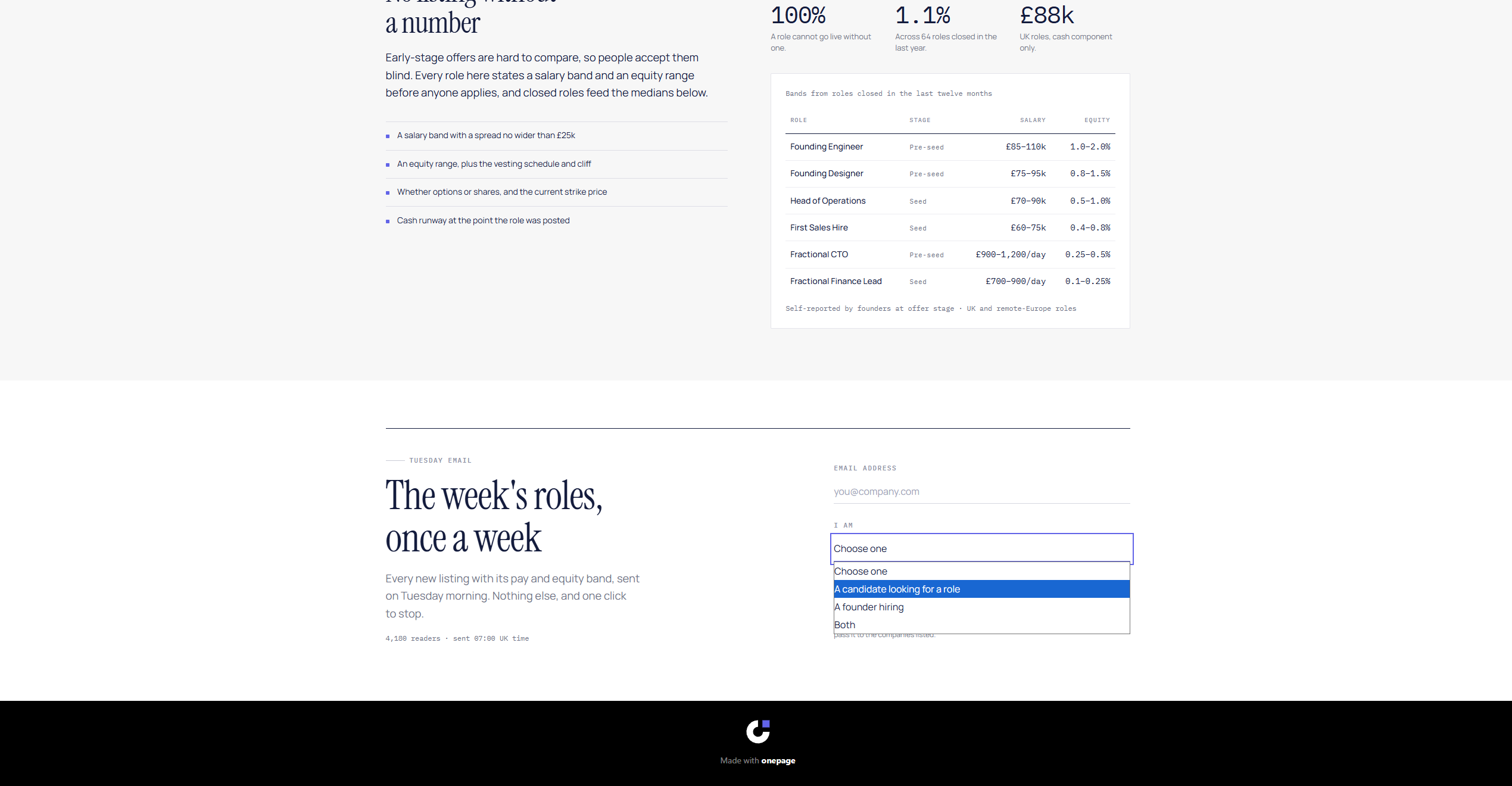
It validates the email address and audience selection before submitting, then replaces the form with a confirmation message. My test submission appeared in the CRM immediately, where I could see the submitted email address, audience selection, form name and submission time.
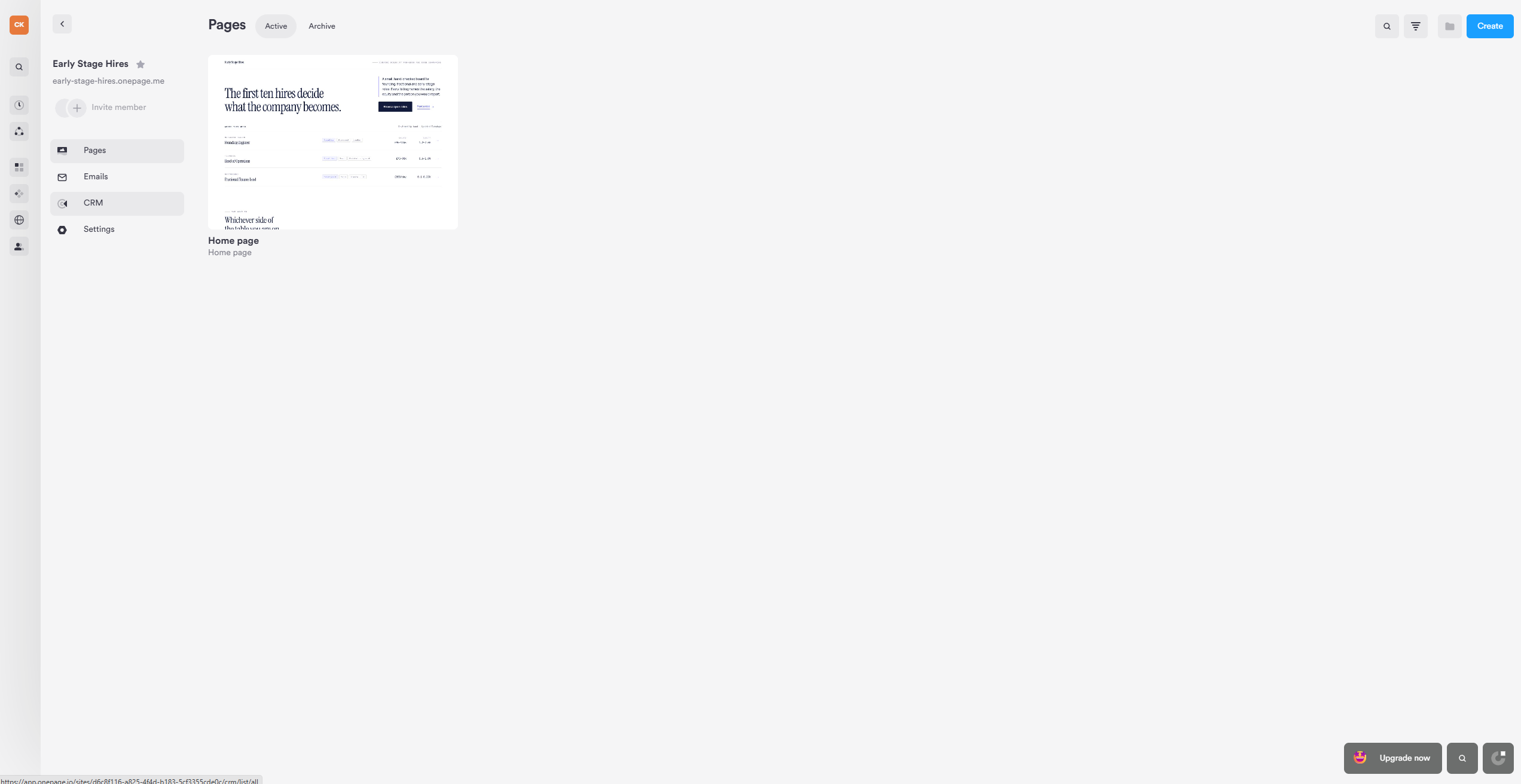
It worked without any additional setup, but I’d still like Onepage to make that connection clearer inside the visual editor.
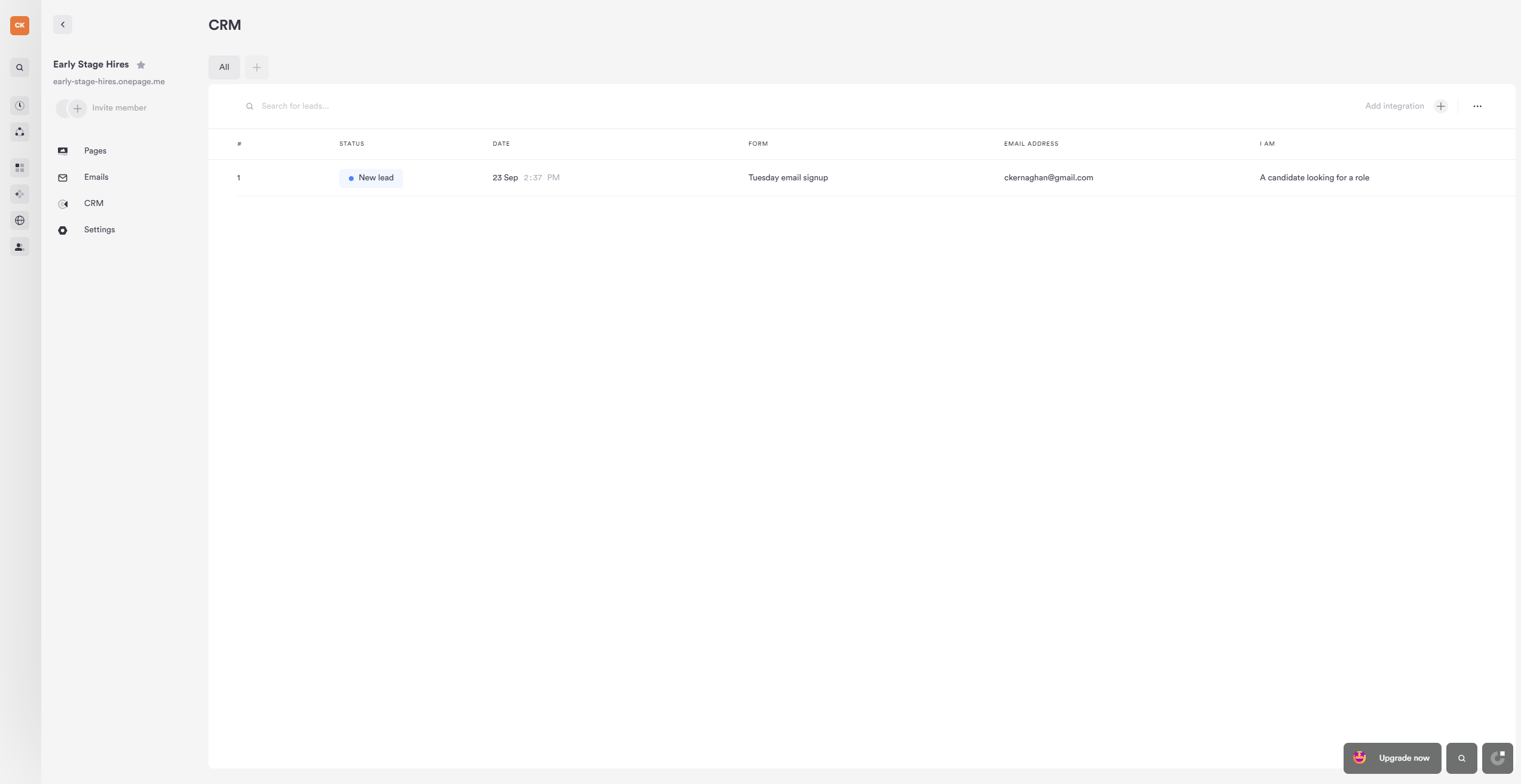
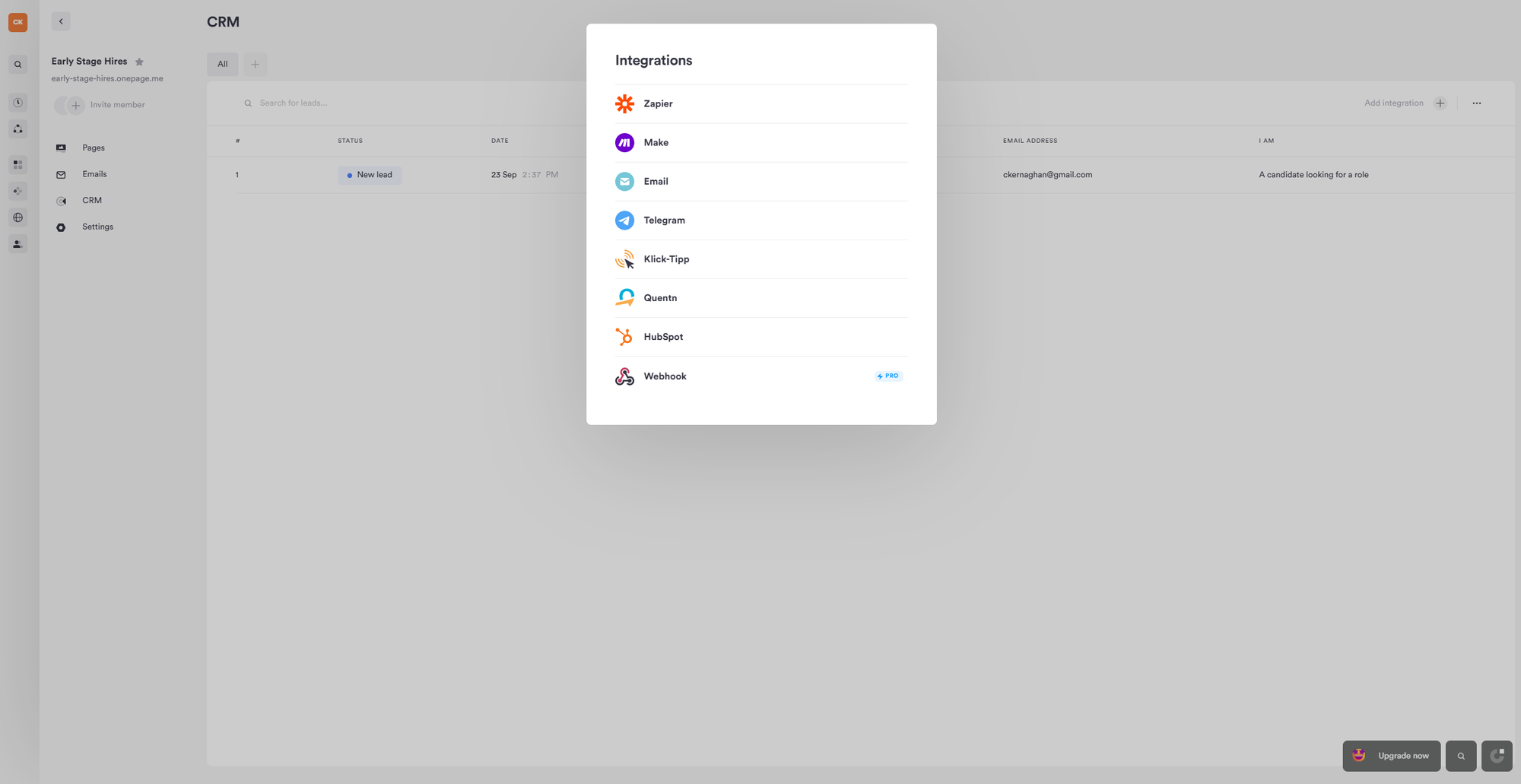
No notification reached my inbox. Onepage stores submissions in the CRM automatically, but email alerts are configured separately through its integrations.
The available options included email, Zapier, Make, Telegram, Klick-Tipp, Quentn and HubSpot. At the time of testing, webhooks were marked as a Pro feature.
How much does Onepage cost?
Onepage has five main plans, starting with a genuinely usable free tier. The public English pricing page displayed prices in US dollars during my review, although the currency may vary by location.
The Free plan supports one website with three pages, five saved page versions and 20 one-time AI starter credits. It’s enough to build and test a small project, but connecting your own domain requires at least the Essential plan.
Essential costs $19.90 per month and increases the allowance to seven pages, with 25 AI credits replenished monthly. Standard costs $39.90 per month for two websites, 50 pages and 35 monthly AI credits. Advanced costs $69.90 for five websites, 150 pages and 50 credits, while Expert costs $179.90 per month for up to 20 websites, unlimited pages and 75 credits.
Access to Vibe Coding depends on the AI Assistant package attached to your account.
💡 Onepage pricing (annual billing saves 17%)
Free
$0
1 website, 3 pages and 20 one-time AI credits
Essential
$19.90/mo
1 website, 7 pages, custom domain and 25 AI credits/month
Standard
$39.90/mo
2 websites, 50 pages and 35 AI credits/month
Advanced
$69.90/mo
5 websites, 150 pages and 50 AI credits/month
Expert
$179.90/mo
20 websites, unlimited pages and 75 AI credits/month
Onepage advertises a 17% saving when paying annually. It doesn’t list a separate numerical lead allowance, and the pricing comparison describes email volume as unlimited. The integrated CRM is available across the plans, while more advanced forms and funnels are sold separately as an add-on.
The slightly awkward part is that the headline subscription doesn’t necessarily represent the whole cost. If you need multi-step forms, quizzes or more advanced lead-generation features, check the Forms and Funnels add-on before deciding which plan offers the best value.
See what Onepage can build from your brief. Start free, give it a real project and judge the result yourself.
Verdict
The slow first generation and clipped mobile table matter, and the finished page still needed a careful factual pass. Onepage did most of the heavy lifting, but it didn’t remove the need to check the copy, links, claims and smaller layout details yourself.
For a founder who needs a landing page and is willing to refine the result, Onepage is worth trying. It found a coherent visual direction, responded well to specific feedback and made ordinary manual edits straightforward.
The generated signup form also connected directly to its CRM without any additional setup. It isn’t a substitute for human judgement, but it gets you considerably closer to a usable page than starting with a blank screen or generic template.
Disclosure: Onepage provided a test account for this review. This article contains an affiliate link, which means We Are Founders may earn a commission if you subscribe through it, at no additional cost to you.