


I have the sort of inbox that should make Fyxer look very clever.
On any given day, messages can include client support requests, product submissions, partnership pitches, invoices and newsletters I was apparently very interested in three years ago. For me, the problem is not simply the volume, it's deciding what needs attention, then switching context often enough to answer everything properly.
Fyxer promises to take some of that work away. It organizes incoming email, prepares replies in your tone and sends an AI Notetaker into meetings to produce notes and follow-ups.
It's an appealing pitch for founders who somehow became the sales team, support desk and accounts department at the same time. It also raises the obvious question: does Fyxer remove work, or simply create another pile of AI output that needs checked?
Let's find out.
What is Fyxer?
Fyxer is an AI email and meeting assistant for Gmail and Outlook. It works with your existing inbox, categorizing messages by priority and preparing draft replies based on previous conversations.
It can also join Google Meet, Microsoft Teams and Zoom calls, produce meeting notes, identify action points and suggest a follow-up. The Professional plan adds Fyxer Chat, which searches across emails, meetings and uploaded files. Fyxer is also rolling out two newer features called Spaces and Flows.
Spaces brings the history surrounding a company, client or project into one place, while Flows lets you automate recurring jobs based on activity in your inbox, meetings or calendar. Both features are still being introduced gradually, so availability may depend on your account.
The idea is less about generating impressive-looking text and more about reducing the admin surrounding these conversations. Most founders I’ve spoken to can write a perfectly good email.
The problem is finding the right message and replying before it eats another 20 minutes.

We Are Founders readers get seven days free, plus an exclusive 20% off their first two months. The discount is applied automatically through this link, with no code required.
Getting started
Setting up Fyxer involves connecting a supported email account and calendar.
The Fyxer team says this takes only a couple of minutes, although learning your writing style naturally takes longer. For this review, I connected Fyxer to a personal Gmail account.
My main We Are Founders inbox is hosted by Zoho Mail, which Fyxer does not currently support directly. That's something worth checking before starting a trial if your company uses something other than Google or Microsoft .
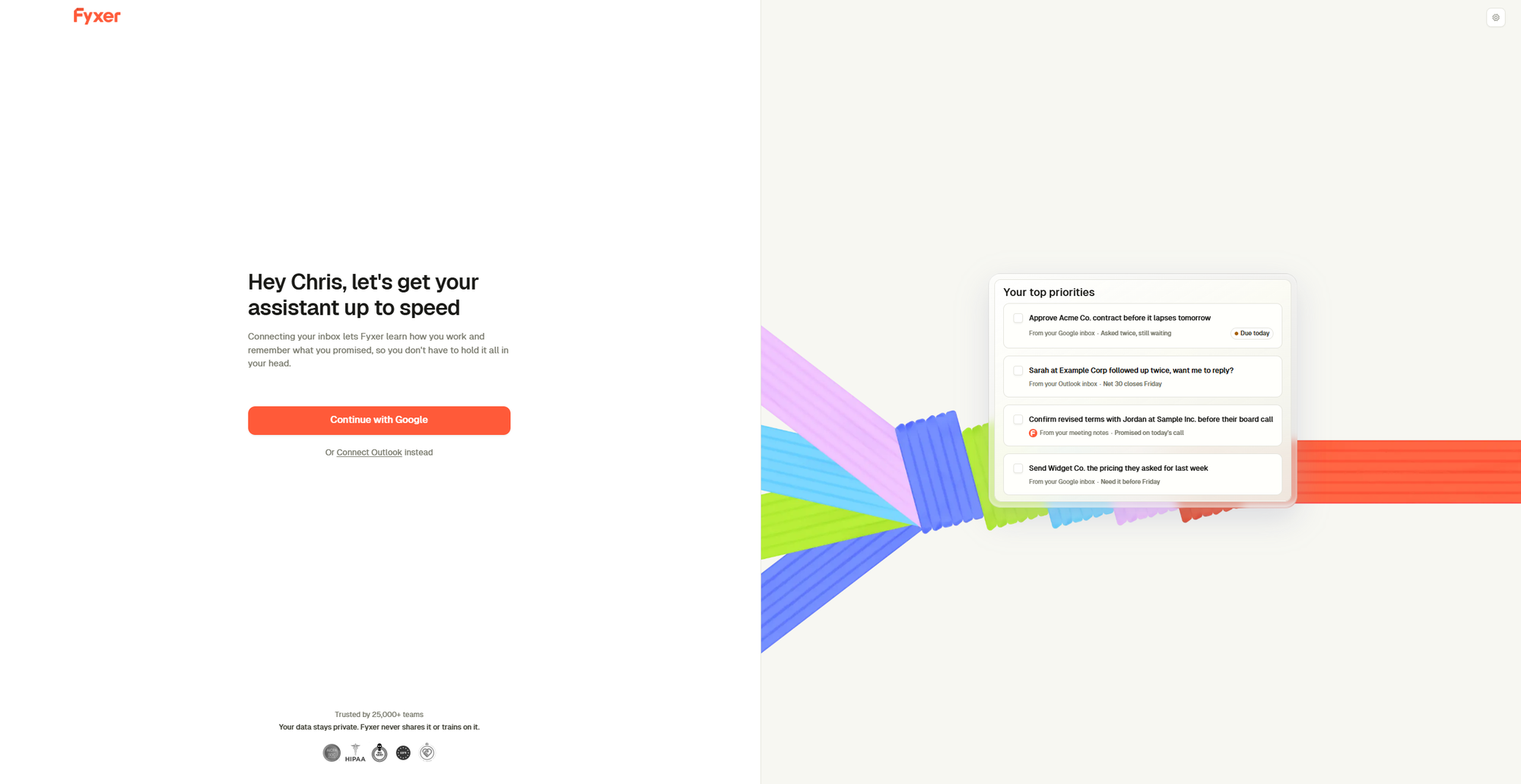
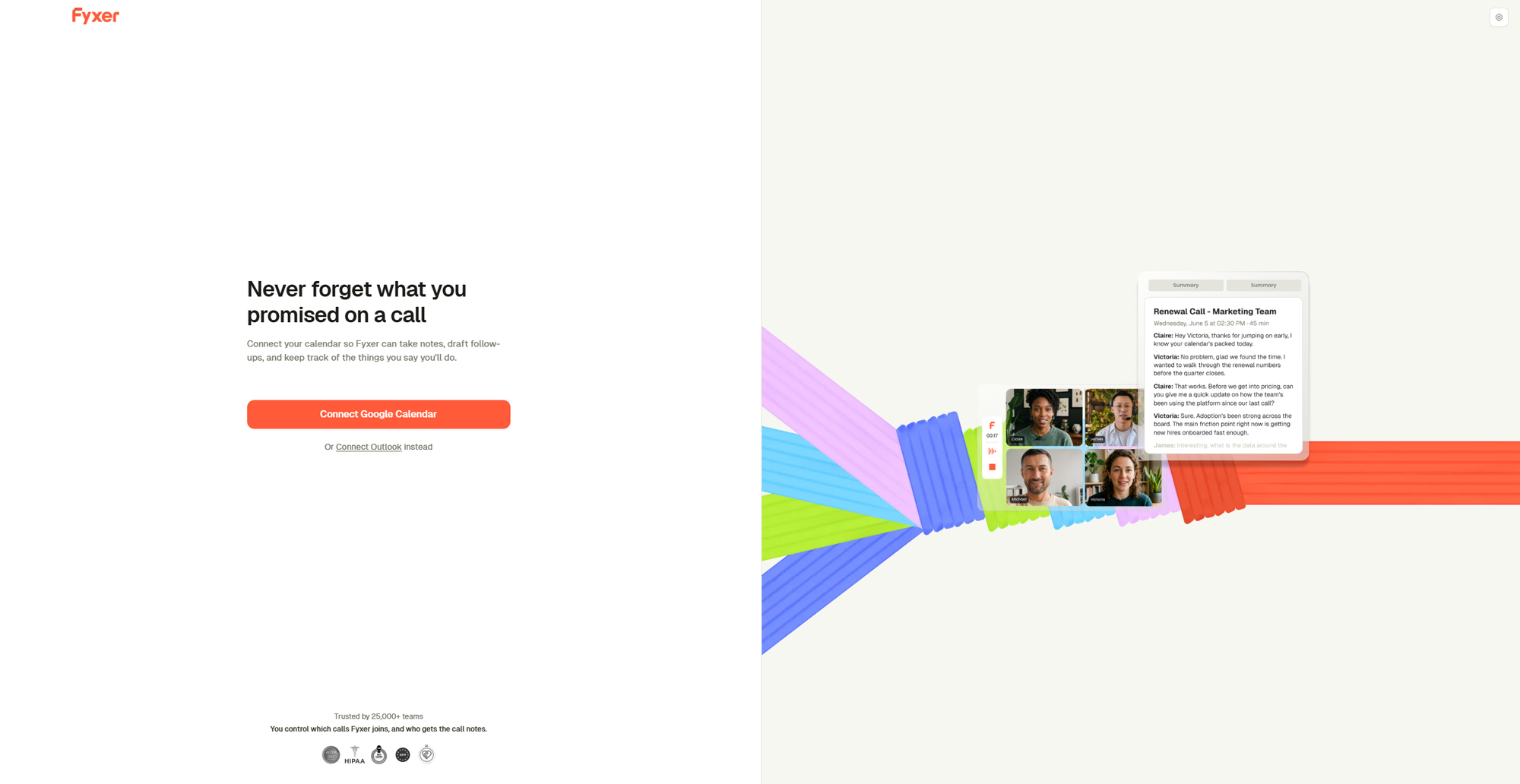
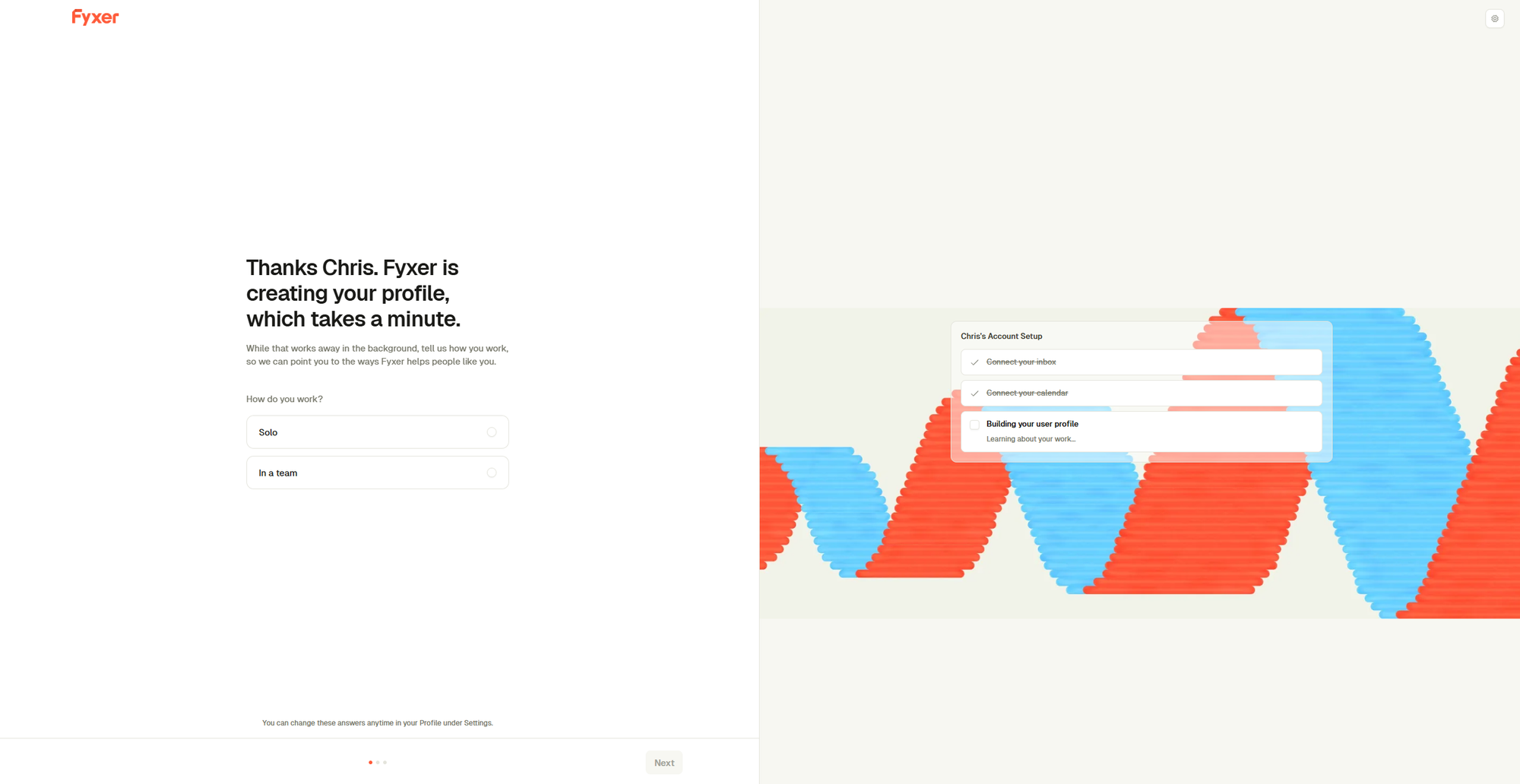
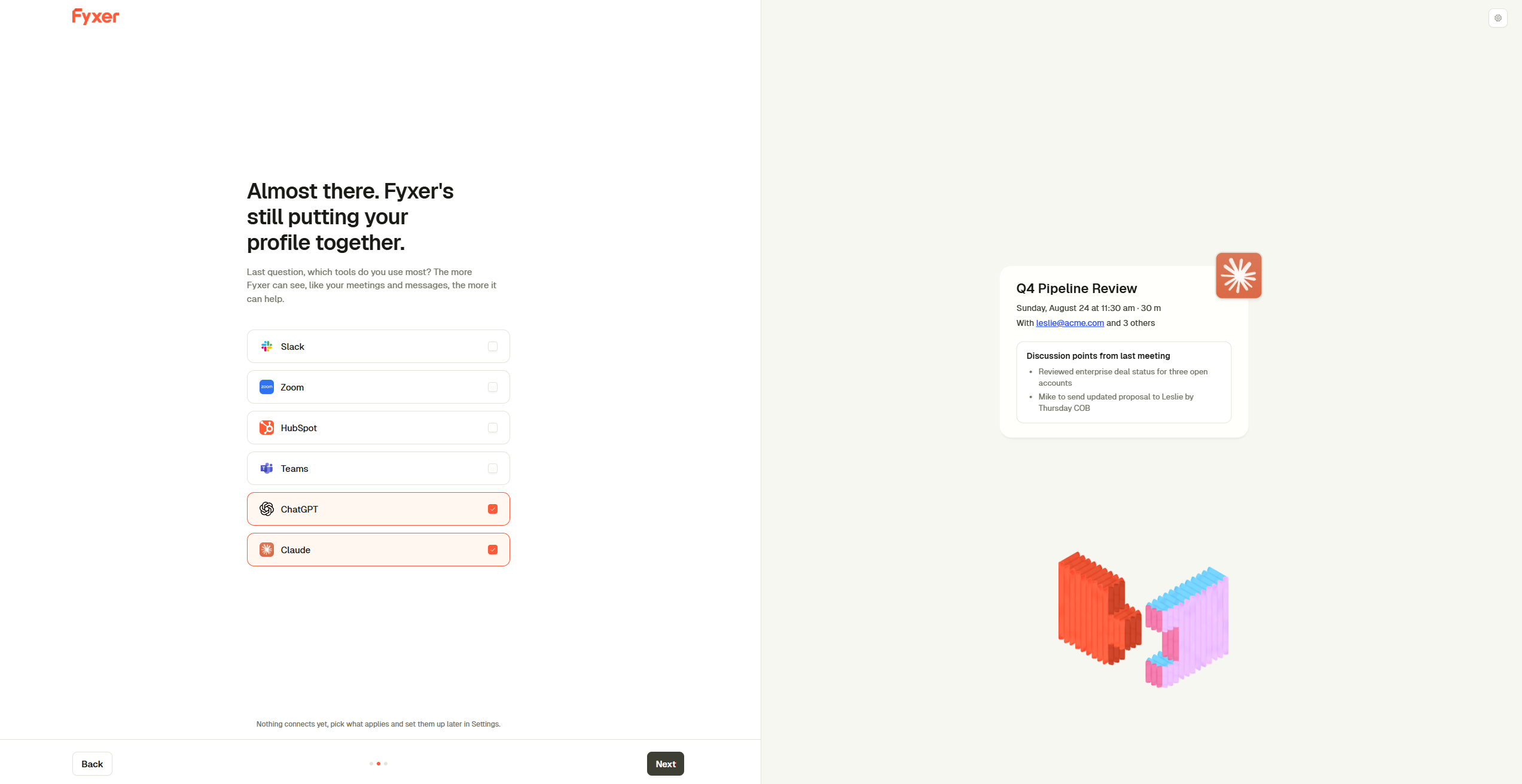
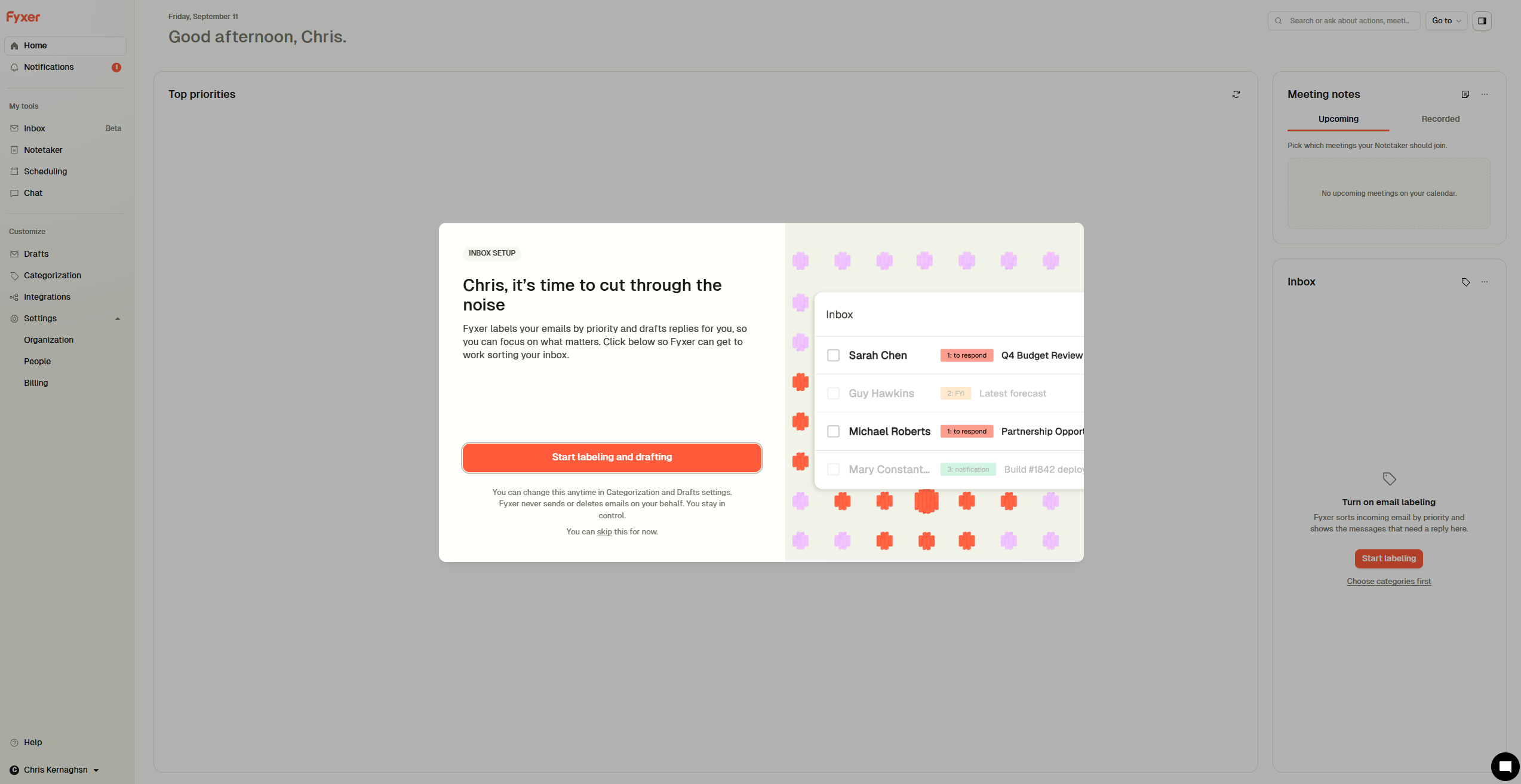
Fyxer’s guided onboarding takes only a few minutes to complete
Using an alternative Gmail address, the setup was remarkably straightforward.
The whole thing felt like a well-designed, automated onboarding process, guiding me through each step without asking anything particularly technical. From connecting my Gmail account to arriving in the Fyxer dashboard with my inbox ready to go, the entire process took about three minutes at most.
Can Fyxer organize a messy inbox?
Inbox organization might be the most valuable part of Fyxer. Messages requiring action or a response are prioritized, while lower-value notifications and marketing can be moved out of the way.
Plenty of users say this genuinely makes their inbox easier to manage. Others report that categorization can become confusing or place messages somewhere they would not naturally look.
Fyxer lets users adjust its filing behavior, so it makes sense to supervise it closely at first rather than assume every decision is correct.
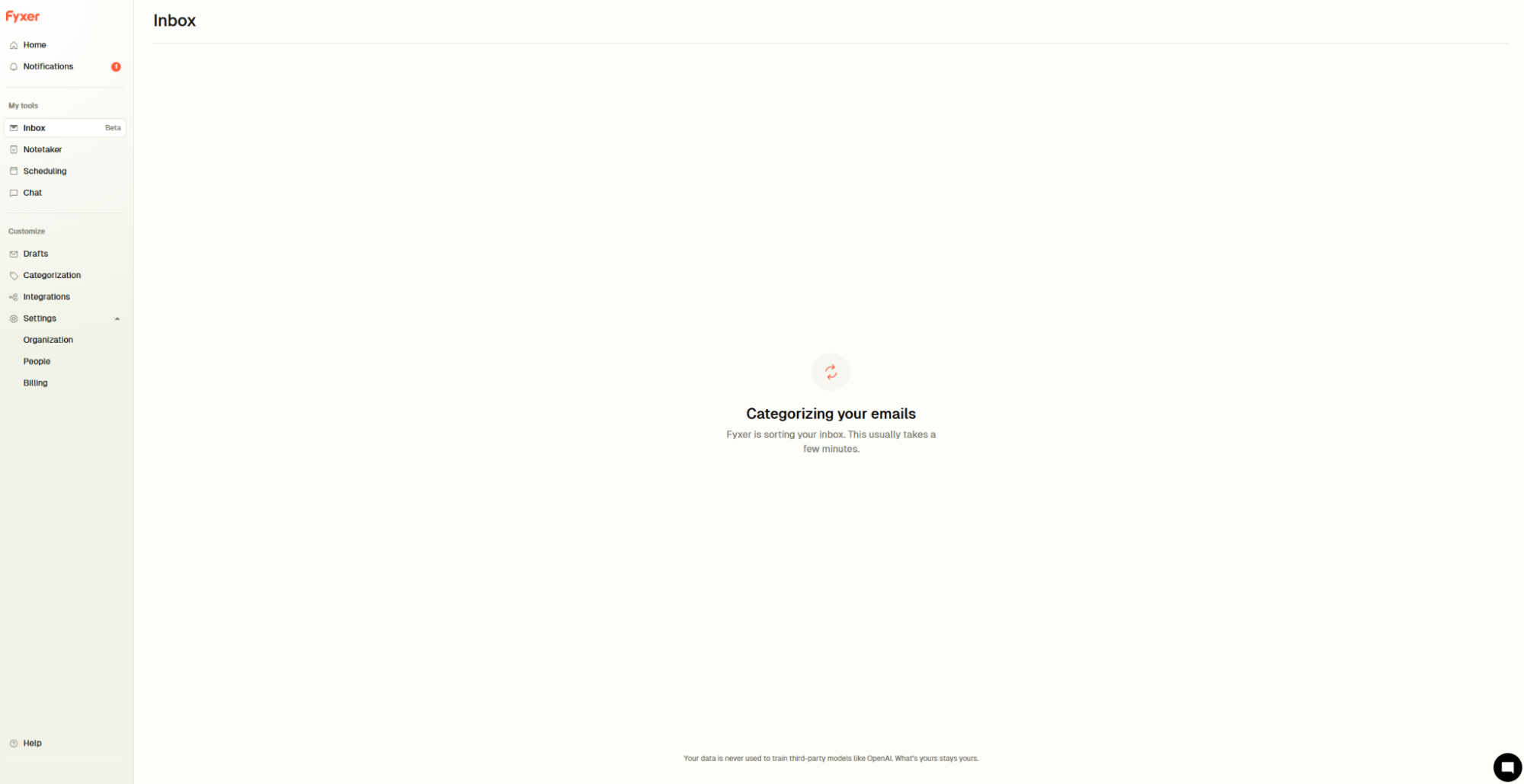
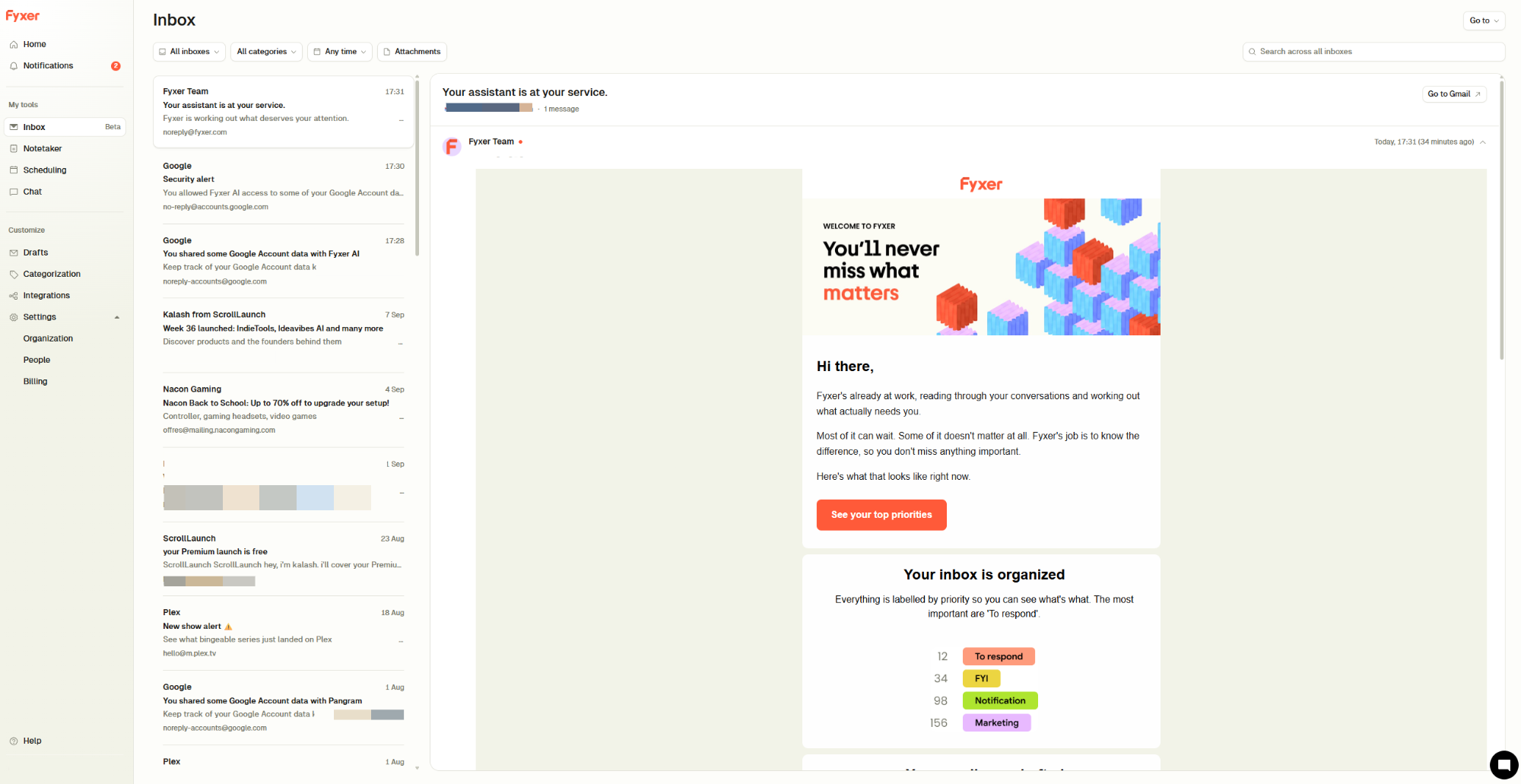
Because I was testing Fyxer through a personal Gmail account rather than my main business inbox, the volume was relatively modest. It categorized around 300 emails during the initial test, and did a very good job of separating messages that needed attention from newsletters and automated notifications.
To my surprise, a few partnership emails had slipped through to this account, and Fyxer surfaced them immediately as messages needing a response. It was a small but convincing example of the value here, particularly if you’re prone to letting important emails disappear beneath everything else.
Do the drafts sound like you?
Fyxer uses previous conversations to learn how you tend to respond, then places a suggested reply inside the relevant thread. That's potentially more useful than copying emails into a general AI chatbot, because the context and the draft are already where the work happens.
It matters to me because I've used a few services before that never quite lived up to the hype, so the meaningful test isn't whether every draft can be sent untouched but whether editing the suggestion takes less time than starting from a blank reply.
Positive reviewers say Fyxer gets close enough to their tone that only minor changes are needed, while a recurring criticism is that some drafts feel generic, too formal or miss part of the context.
The result will inevitably depend on the inbox and the complexity of the conversation.
I reviewed 11 drafts across a mix of the partnership emails mentioned earlier and the usual admin. The strongest was a reply to a client asking about a delay on a build: it picked up the thread history, opened with an apology that didn't grovel, gave a revised date and closed with a question about the next milestone.
I changed two words. The weakest was a short reply to a supplier who'd asked a yes-or-no question about pricing, where Fyxer produced four paragraphs of context the supplier already had, and I binned it and typed a one-line answer faster than I could have cut it down.
Of the 11, seven were quicker to edit than to write from scratch. The other four were either wrong enough to start over or so short that a draft saved nothing.
The pattern is clear: the longer and more contextual the thread, the more useful the suggestion, and the briefer the reply needed, the more the draft gets in the way.
Spaces: a home for each client or project
Spaces is Fyxer’s attempt to solve a slightly different problem: important context being scattered across inboxes, meetings and documents.
Each Space is organized around an external company, client, deal or project.
Relevant emails and call recordings can flow into it automatically, creating a timeline of the relationship alongside action items, notes and the people involved. You can also ask questions about the information held inside a Space rather than searching through individual conversations.
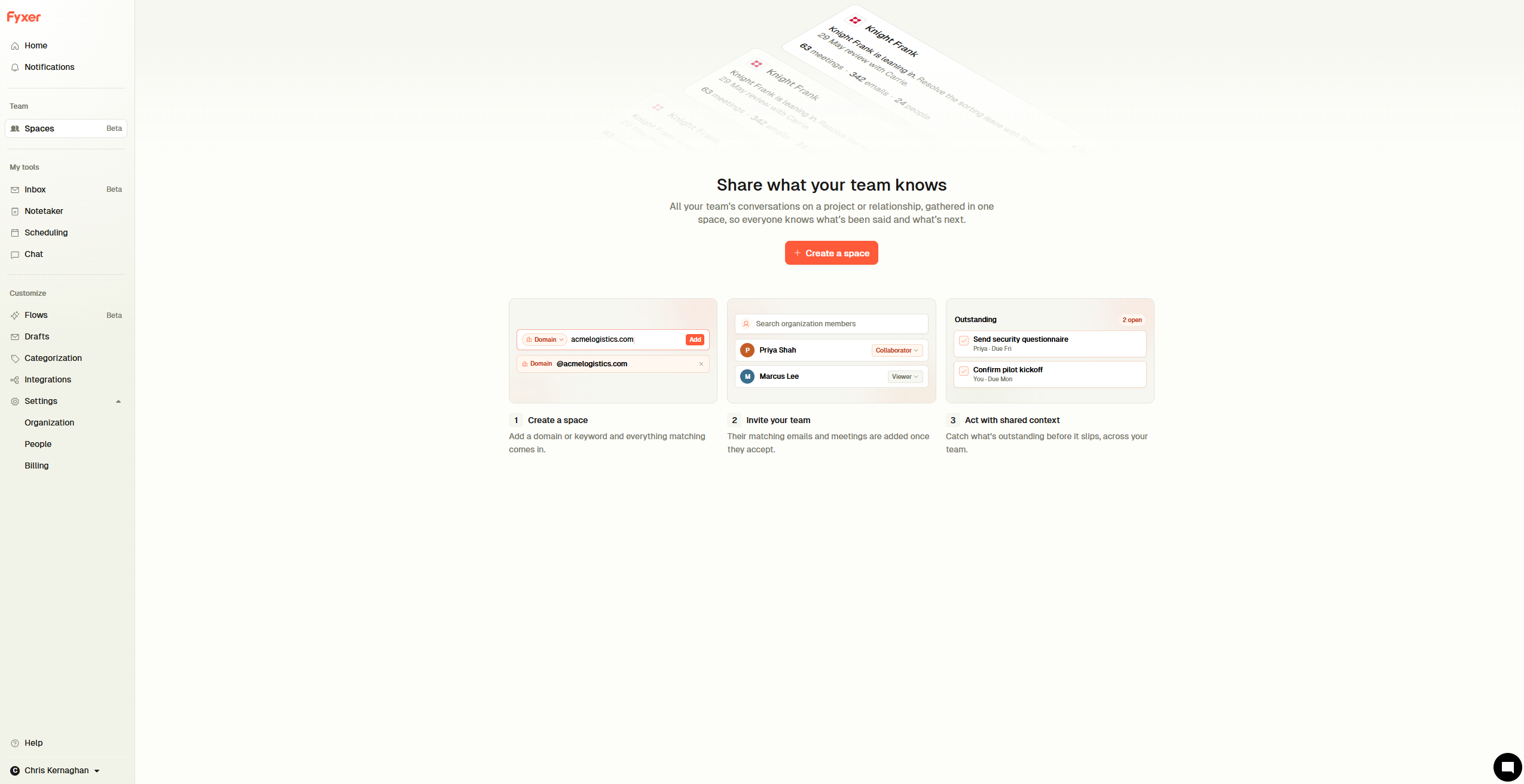
The feature becomes more interesting for teams. Viewers can see what has been shared, while collaborators can contribute their own relevant emails and meetings after accepting an invitation. Individual items can be hidden when they should not be visible to everyone.
For a founder moving between several clients or partnerships, the appeal is obvious. Opening a Space should provide a quicker picture of what has happened and what needs doing next, without relying on someone to forward old threads or explain the history again.
Flows: automating the work around your inbox
Flows lets you set up a recurring task once and have Fyxer run it automatically. Each Flow combines a trigger, a set of instructions and somewhere to deliver the result.
A Flow can run on a schedule or respond to an event, such as an email receiving a particular label or a meeting ending. The output can then arrive by email, in Slack, through Microsoft Teams or as an in-app notification.
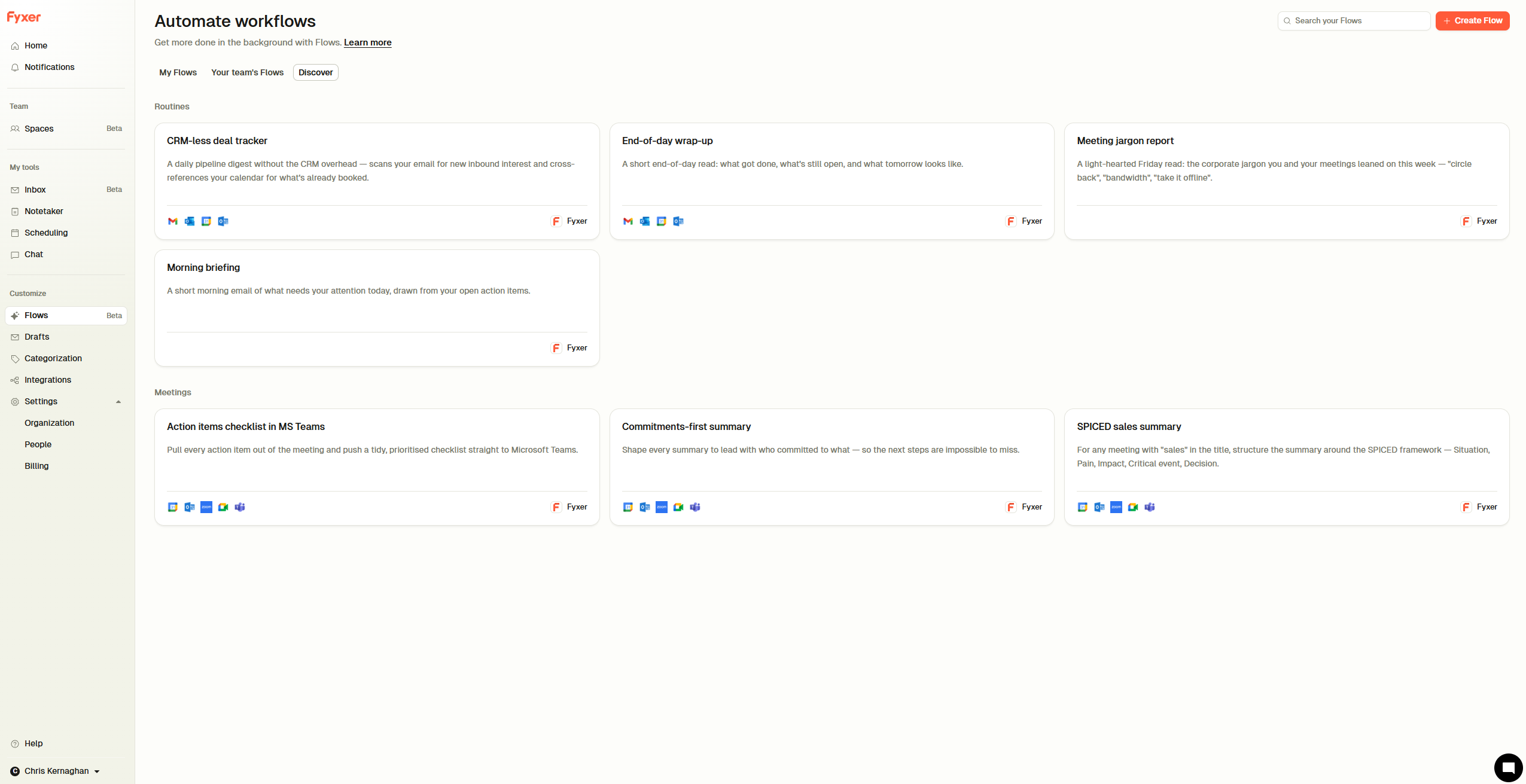
Fyxer provides several starting points, including morning briefings, end-of-day summaries, action-item roundups and a lightweight deal tracker for people who do not use a CRM. These can be adjusted, or you can describe a new Flow in plain English and let Fyxer configure it.
This could move Fyxer beyond helping with individual messages and into managing repeatable bits of administration. It also creates more room for things to go wrong quietly, so the real test is whether the output remains accurate enough to trust without checking every source conversation.
We Are Founders readers get seven days free, plus an exclusive 20% off their first two months. The discount is applied automatically through this link, with no code required.
Meetings, follow-ups and Fyxer Chat
Fyxer’s Notetaker joins online calls, produces a summary and can prepare a follow-up message. That makes sense alongside its email features because a meeting normally creates another set of decisions, promises and messages.
The useful test is not whether it produces tidy notes. It is whether it correctly captures names, deadlines and who agreed to do what. Participants should also know when a call is being recorded or transcribed, particularly when the conversation is sensitive.
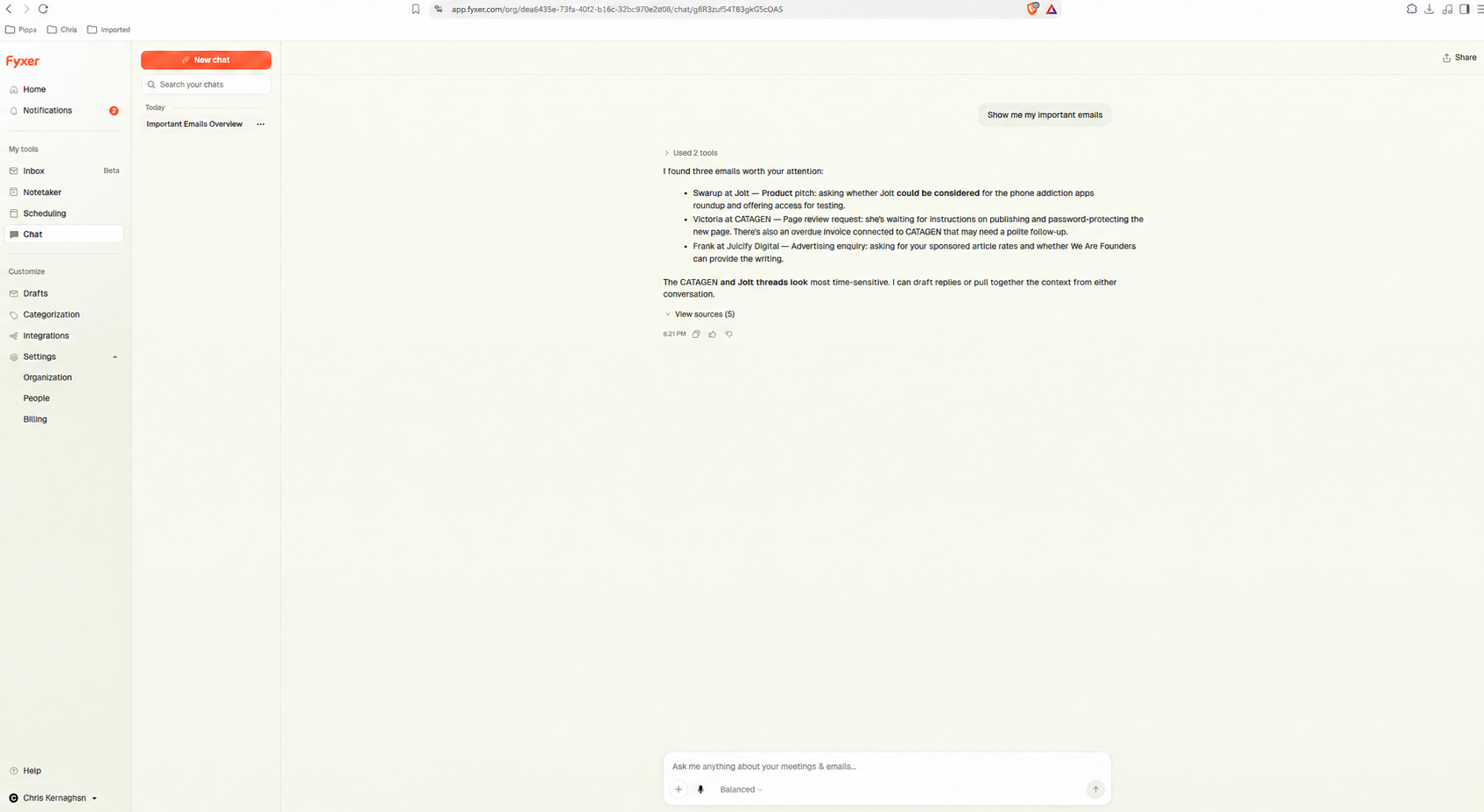
Fyxer Chat is potentially more interesting. It can answer questions using previous email, meeting and uploaded-file context. If it can reliably retrieve an old decision or identify conversations awaiting a reply, Fyxer begins to feel like an assistant rather than a writing tool.
Reliability is the important word. If you need to reopen every original email to verify the answer, much of the time saving disappears.
How much does Fyxer cost?
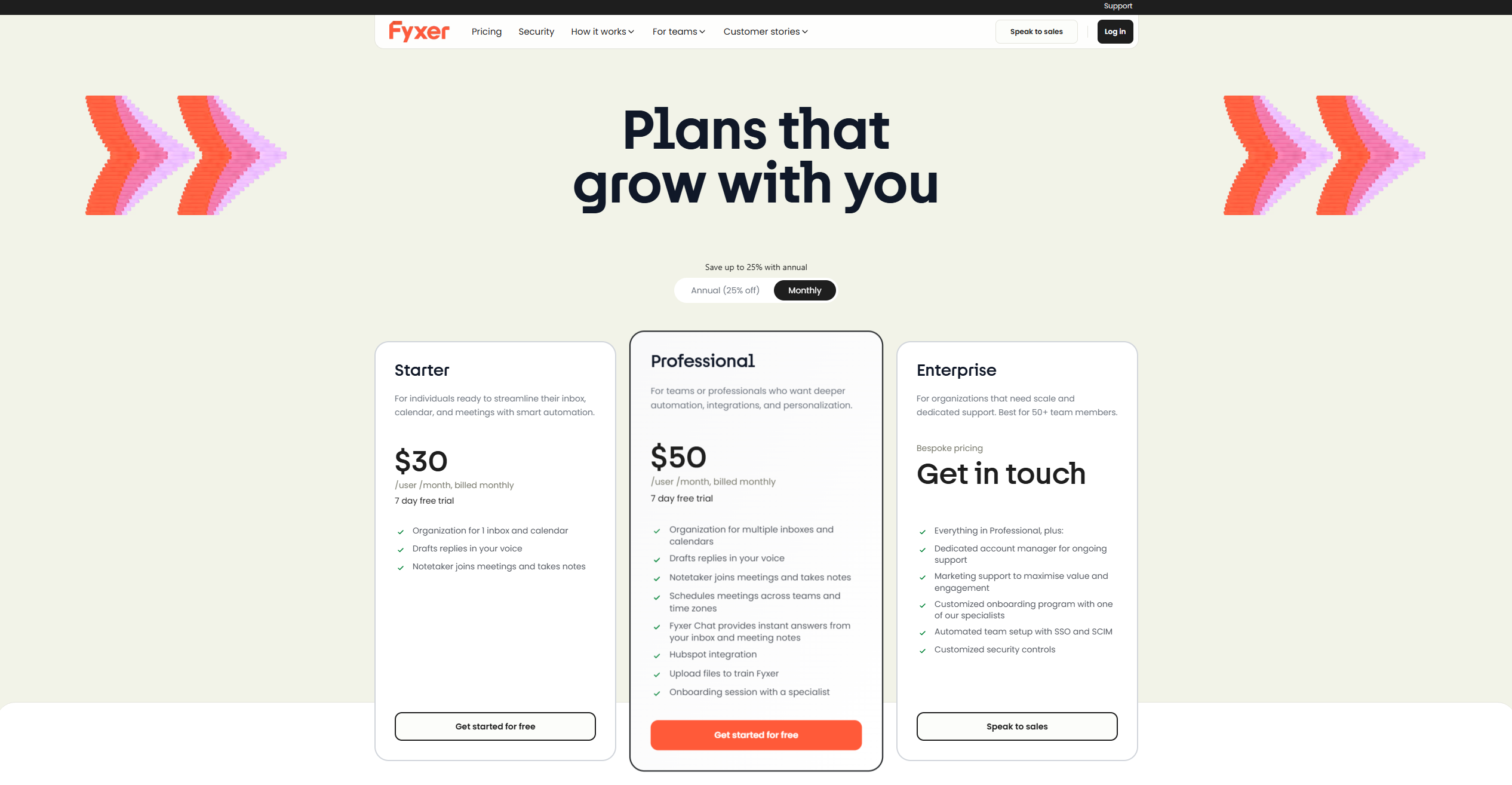
Fyxer currently offers a seven-day free trial and two principal paid plans:
💡 Fyxer pricing
Starter
$22.50–$30/mo
$22.50 billed annually or $30 billed monthly
Professional
$37.50–$50/mo
$37.50 billed annually or $50 billed monthly
Enterprise
Bespoke
Custom pricing for organisations with 50+ users
Starter costs $30 per user each month, or $22.50 per month when billed annually. Professional costs $50 per user each month, falling to $37.50 with annual billing. Both include a seven-day free trial. Check Fyxer’s current pricing and trial terms before subscribing.
What do existing users think?
Public sentiment is broadly positive, but not universal. At the time of writing, Fyxer has a Trustpilot score of around 4 out of 5 from more than 700 reviews.
Praise tends to focus on reduced inbox clutter, useful first drafts and responsive customer support. Criticism centres on messages being moved somewhere unexpected, drafts requiring too much editing, Outlook friction and trial billing.
The patterns are more useful than the average score. Fyxer appears to deliver the most value when email already consumes a meaningful part of someone’s day and they are prepared to supervise the system while it learns.
Who is Fyxer for?
Fyxer looks best suited to founders, freelancers, consultants and recruiters handling plenty of repeatable email. It may also appeal to small teams that want inbox sorting, scheduling and meeting administration within one service.
It is harder to recommend if you receive little email, use an unsupported provider such as Zoho, mainly need an advanced meeting-intelligence platform or expect every response to be completed without checking it.
I do think that Fyxer is addressing a real problem. Email rarely feels like the most important work in a business, yet it has an impressive ability to consume the day surrounding that work.
Its combination of inbox organization, contextual drafts and meeting follow-ups is more convincing than a standalone AI writer. The caveat is trust. It needs to demonstrate that important messages remain visible, drafts do not invent details and meeting summaries preserve the decisions that matter.
For now, Fyxer looks most promising for people who already feel that their inbox has become a second job. If that sounds familiar, its free trial should be long enough to learn whether it understands your working style or simply rearranges the problem.
Reader offer: Try Fyxer free for seven days and get 20% off your first two months. The discount is applied automatically, so there is no code to enter.