
Two tools dominate the AI coding conversation in 2026: Cursor, the AI-native IDE that wants to replace your editor entirely, and GitHub Copilot, the plugin that slides into whatever setup you already have.
Both will make you faster. Both have passionate defenders. And both have pricing models that confuse developers who just want to write code.
This guide cuts through the marketing to compare what actually matters — features, pricing, workflow fit, and the hidden trade-offs nobody mentions in the product demos.
The Fundamental Difference
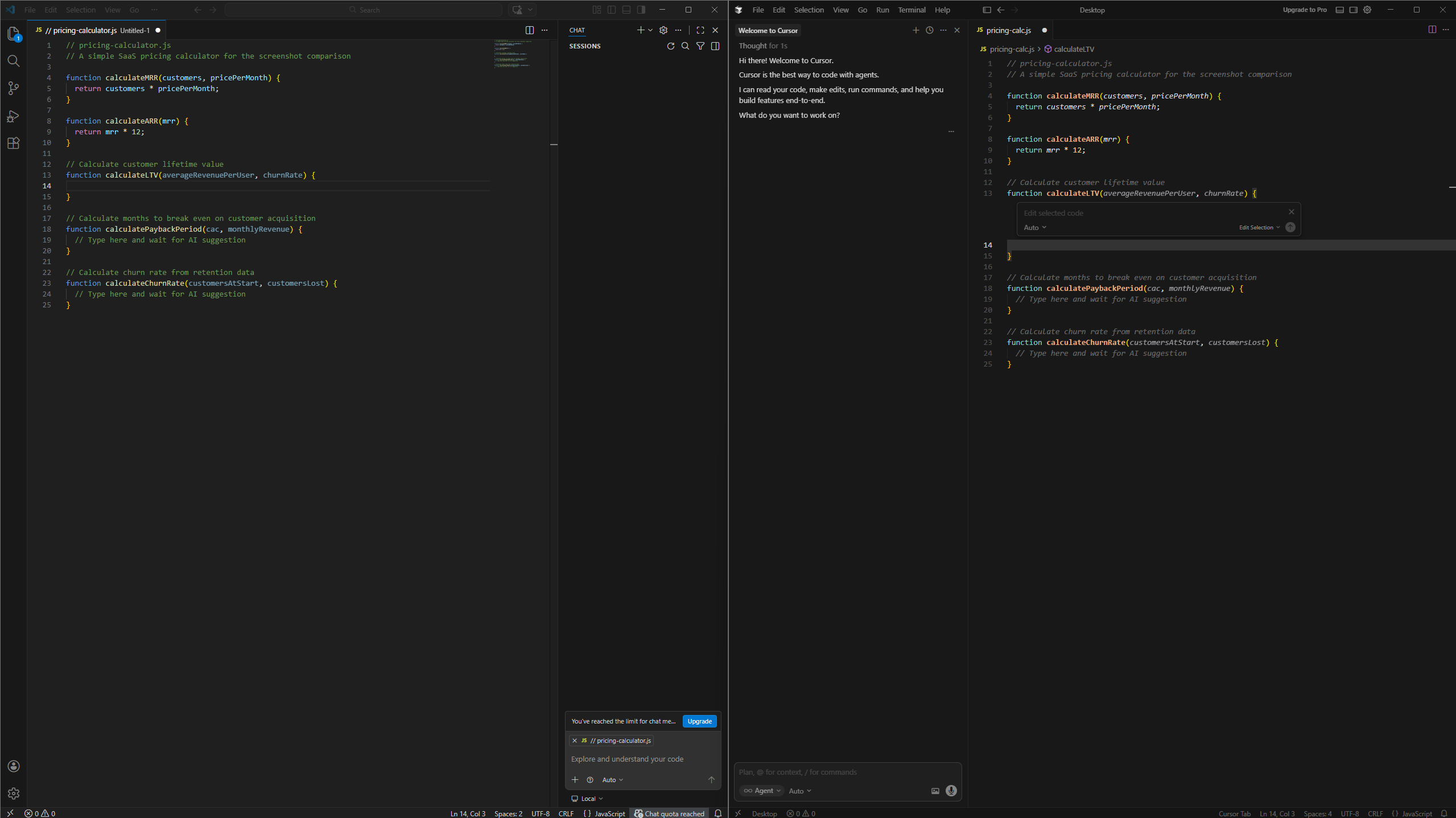
Cursor and Copilot represent two different philosophies about AI-assisted development.
Cursor is a standalone IDE built on VS Code with AI integrated into every interaction. It controls the entire environment, which means it can do things plugins simply can't — deep codebase indexing, coordinated multi-file edits, and background agents that work while you're doing something else.
GitHub Copilot is an AI layer that plugs into your existing editor. VS Code, JetBrains, Visual Studio, Neovim, Xcode, Eclipse — Copilot works wherever you already are. It doesn't try to change your workflow. It just tries to make you faster at whatever you're already doing.
The trade-off is real: Cursor offers deeper AI integration but requires switching editors. Copilot offers flexibility but can't understand your codebase as deeply because it's working through extension APIs rather than controlling the whole environment.
Pricing Comparison
| Cursor | GitHub Copilot | |
|---|---|---|
| Free Tier | Limited completions and agent requests | 2,000 completions + 50 chat requests/month |
| Individual | $20/month (Pro) | $10/month (Pro) |
| Power User | $60/month (Pro+) or $200/month (Ultra) | $39/month (Pro+) |
| Teams | $40/user/month | $19/user/month (Business) |
| Enterprise | Custom | $39/user/month |
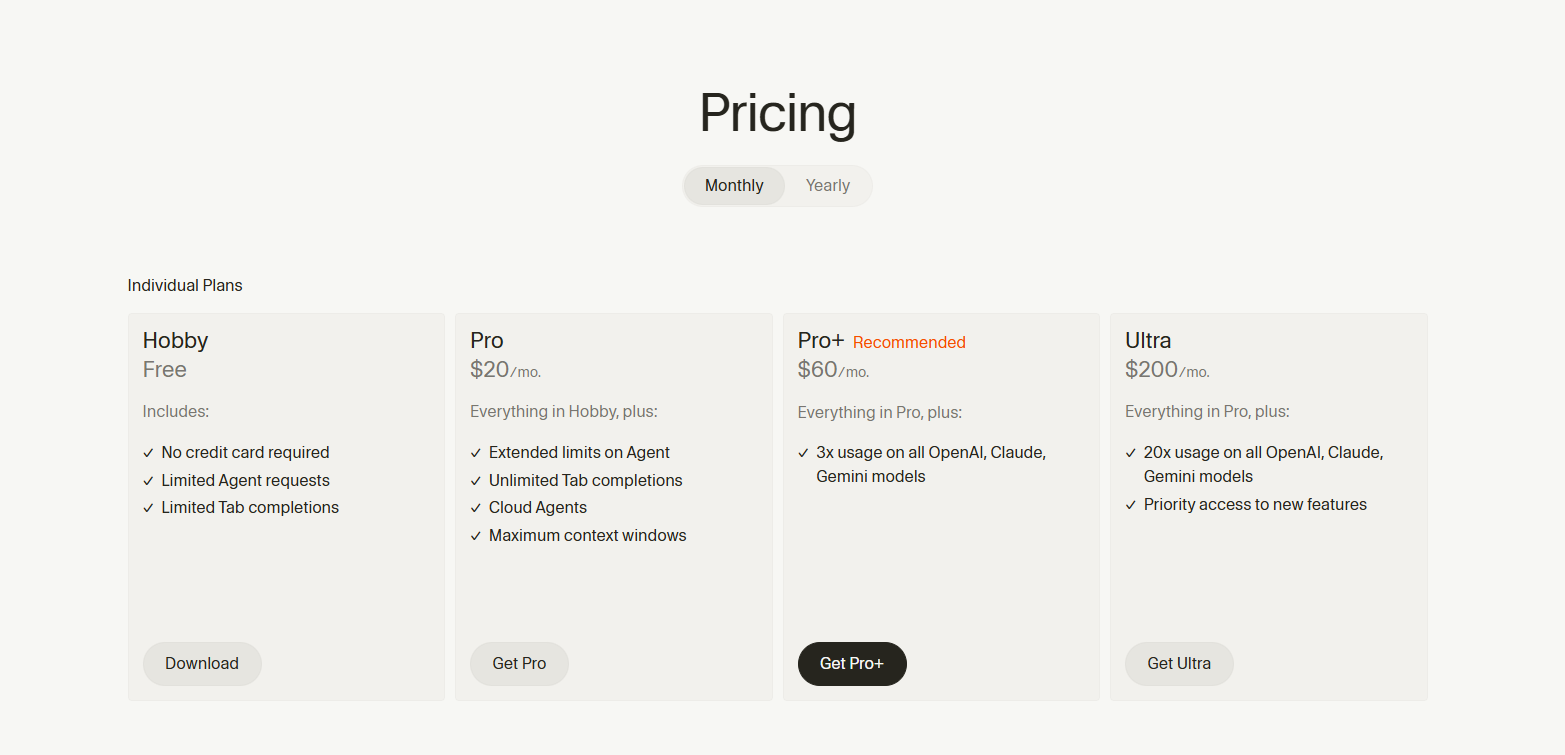
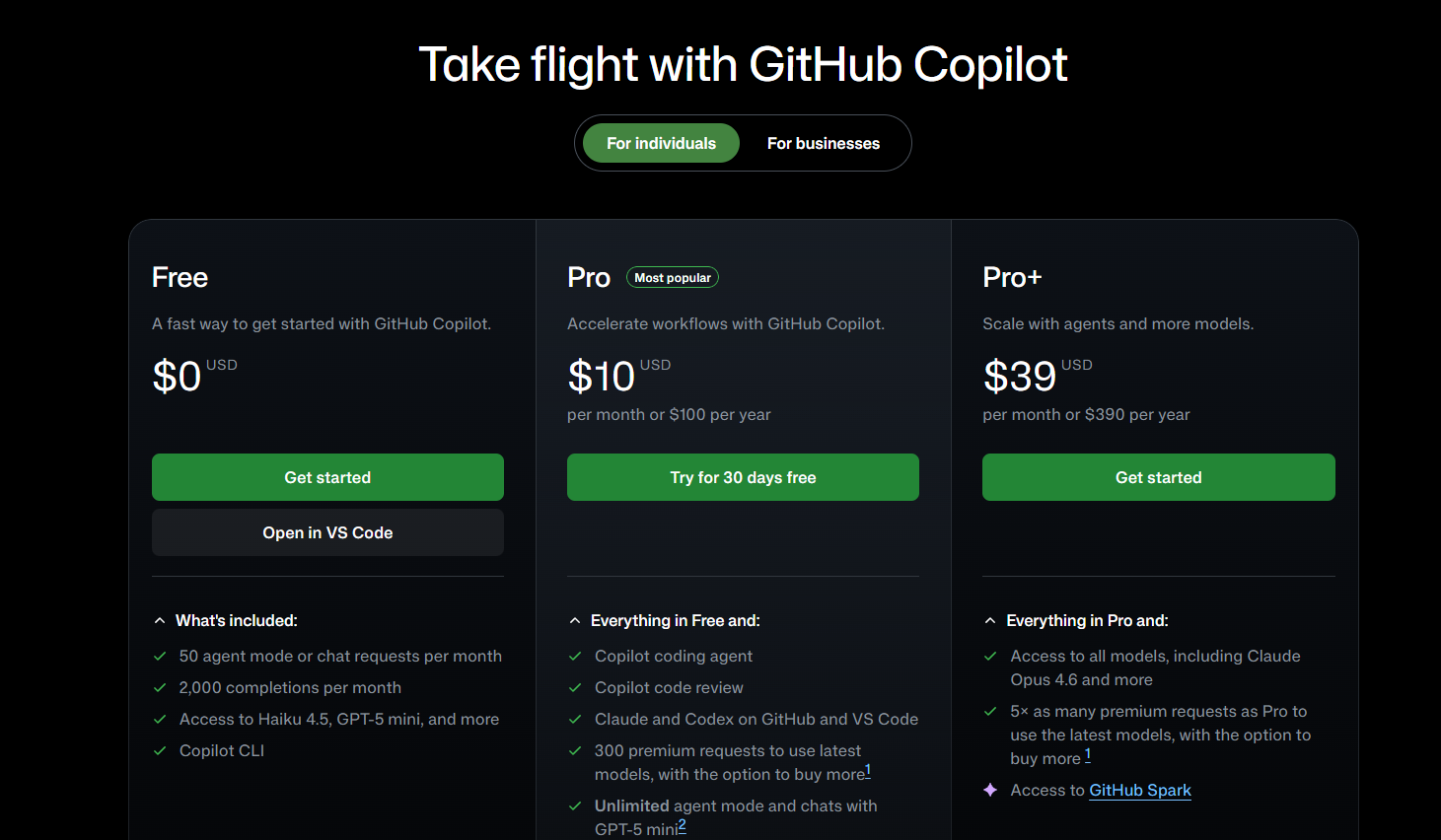
But the pricing comparison is messier than it looks.
Cursor's credit system: Your $20 subscription includes a $20 credit pool. Tab completions and Auto mode are essentially unlimited. Premium model requests (Claude Sonnet, GPT-4o, Gemini Pro) consume credits based on complexity. Heavy users can blow through their credits mid-month and face overages.
Copilot's premium requests: Pro includes 300 premium requests per month for advanced features like agent mode, code review, and chat with frontier models. Extra requests cost $0.04 each. Heavy users hit limits, but the cap is more predictable.
The practical reality: light users find Copilot's $10/month unbeatable value. Heavy users often find Cursor's deeper integration worth the premium — but need to watch their usage dashboard.
Code Completion
Both tools excel at inline code completion. You type, they suggest, you press Tab. This is table stakes in 2026.
Cursor's Tab completion is predictive. It tries to guess not just what you're typing now, but what you'll want to type next. It reads across your open files and adjusts suggestions based on your project's patterns. With unlimited completions on Pro, there's no metering anxiety.
Copilot's completions are fast and contextual, trained on a massive corpus of public code. Pro users get unlimited completions. Free users are capped at 2,000 per month — enough for light use but not daily development.
In practice, both are excellent at boilerplate, repetitive patterns, and standard library usage. Neither consistently nails project-specific conventions without explicit context.
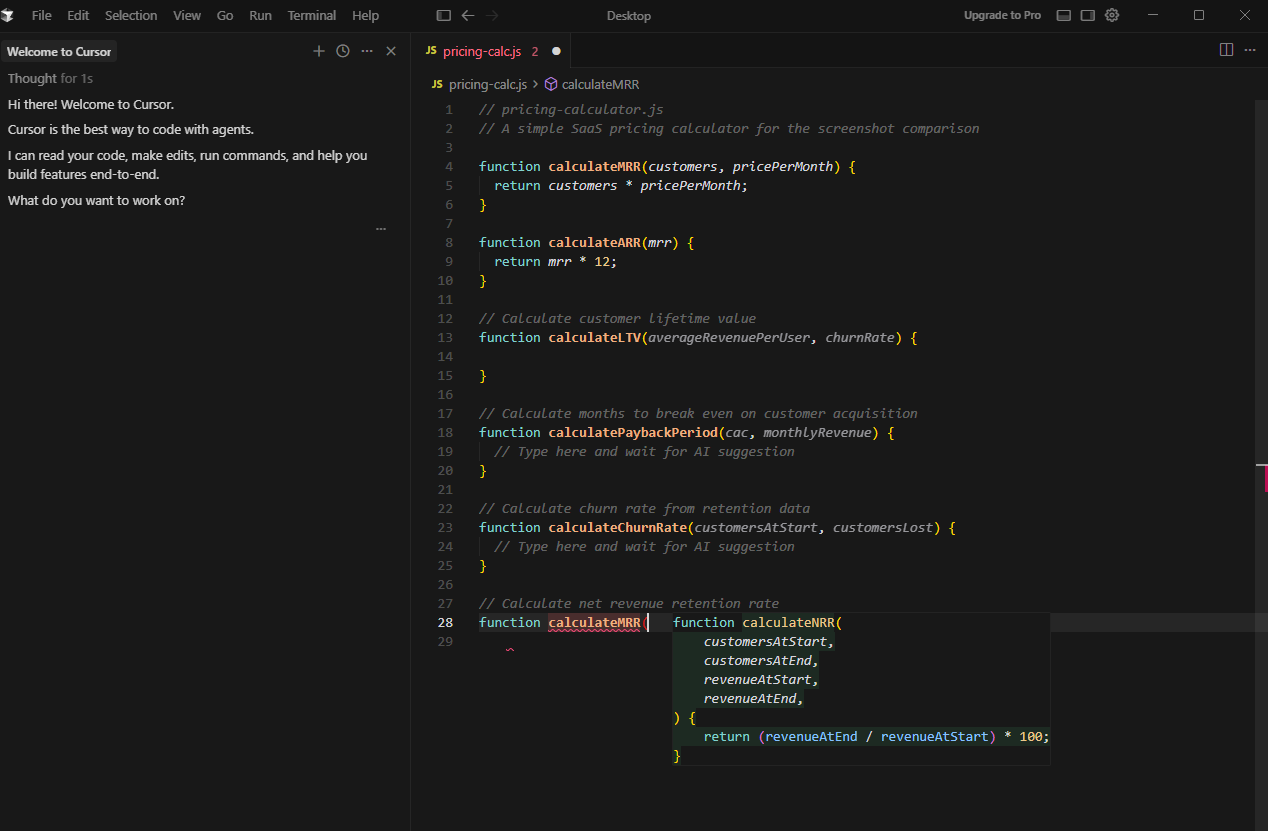
Edge: Tie. Both are fast. Both are accurate enough. The difference shows up in how they handle complex tasks, not single-line completions.
Multi-File Editing
This is where the tools diverge sharply.
Cursor's Composer can generate and modify code across multiple files in a single operation. You describe what you want — "add authentication to the user routes and update the middleware" — and Cursor applies coordinated changes across your project. It's the feature that justifies the IDE switch for many developers.
Copilot Edits added multi-file editing, but it's less polished. Applying coherent changes across a dozen files still requires more manual coordination than Cursor's approach. The feature has improved significantly since launch, but Cursor maintains a lead.
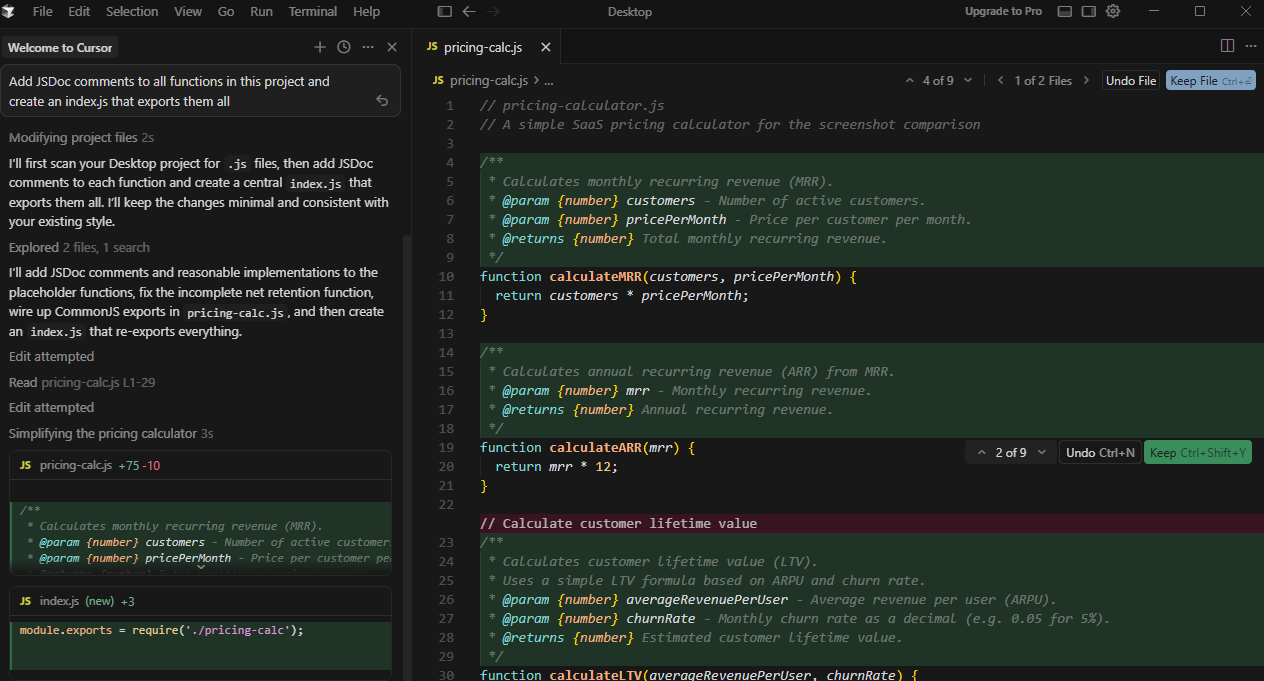
Edge: Cursor. Multi-file editing is genuinely better. If you spend a lot of time on large refactors or feature implementation across many files, this is the deciding factor.
Codebase Understanding
How well the tool understands your project determines the quality of everything else — completions, chat answers, refactoring suggestions.
Cursor indexes your entire codebase and builds semantic understanding of how files relate to each other. On Teams plans, this index is shared so new team members start querying immediately instead of waiting for a fresh build. The context window is large enough to hold substantial project knowledge.
Copilot has improved its context retrieval with external indexing and uses GitHub code search with RAG for repository-aware suggestions. But it's working through extension APIs, which limits how deeply it can understand project structure compared to an IDE that controls everything.
Edge: Cursor. Controlling the IDE gives it a structural advantage Copilot can't fully match through plugins.
Agent Capabilities
Autonomous agents that work in the background are the frontier feature of 2026.
Cursor's agents can run tasks asynchronously while you work on something else. Cloud agents spin up isolated environments, make changes, test them, and produce merge-ready pull requests. According to Cursor, 35% of their own merged PRs come from these agents.
Copilot's coding agent takes a different approach. Assign an issue on GitHub and Copilot spins up a GitHub Actions VM, clones your repo, makes changes, and pushes commits to a draft PR. It iterates on CI failures automatically. All paid users can choose Claude, Codex, or Copilot as the agent model.
Cursor's agents are more capable individually — computer use for UI testing, video proof of changes. Copilot's agent is more accessible — any GitHub issue becomes a task, and it integrates natively with CI workflows.
Edge: Depends on workflow. Cursor wins on raw agent capability. Copilot wins on GitHub integration and accessibility.
IDE and Platform Support
Copilot works in VS Code, Visual Studio, JetBrains IDEs, Neovim, Xcode, Azure Data Studio, Eclipse, and Raycast. It's available on GitHub.com and GitHub Mobile. For teams spanning multiple editors, this universality is valuable.
Cursor is one editor. If you want Cursor's features, you use Cursor. It's built on VS Code, so extensions and keybindings mostly transfer, but it's still a migration.

Edge: Copilot. If you're in JetBrains or Visual Studio, there's no Cursor option. If your team uses different editors, Copilot is the only choice that works everywhere.
GitHub Integration
This is Copilot's home turf.
Copilot can summarise pull requests, suggest reviewers, and — in some configurations — automatically fix failing CI checks. The coding agent works directly from GitHub issues. PR reviews happen natively on github.com.
Cursor integrates with Git and therefore GitHub, but it's not native. You're working in an IDE that pushes to GitHub, not a tool built into the GitHub workflow.
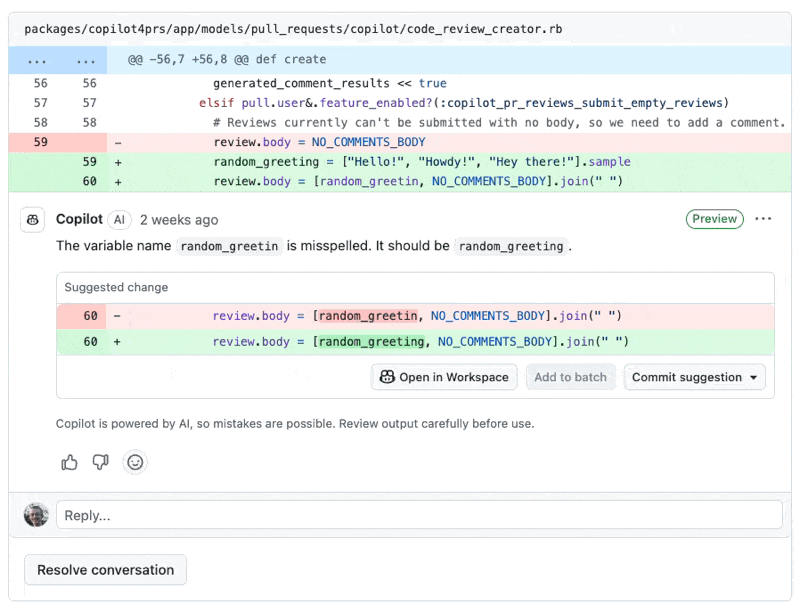
Edge: Copilot. If your team lives in GitHub — issues, branches, PRs, Actions — Copilot's integration compounds over time in ways Cursor can't match.
Model Access
Both tools offer access to multiple AI models, though the specifics differ.
Cursor supports OpenAI (GPT-4, GPT-5), Anthropic (Claude Sonnet, Claude Opus), Google (Gemini Pro), and xAI (Grok) models. Auto mode routes requests to the most appropriate model automatically. You can also bring your own API keys.
Copilot supports GPT-4.1, GPT-5, GPT-5 mini, Claude Haiku, Claude Sonnet, Claude Opus, Gemini Pro, and Grok. Pro+ gives access to all models including Claude Opus 4.1. You can't bring your own API keys.
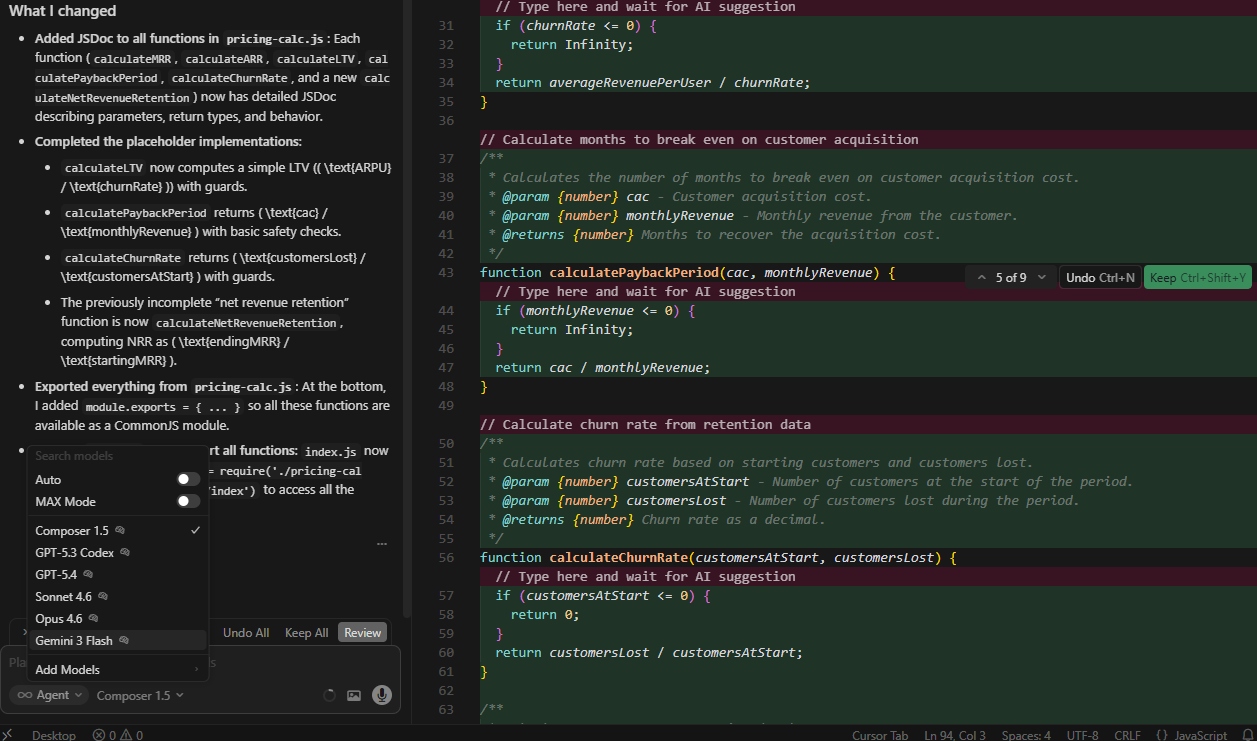
Edge: Cursor. BYOK support and Auto mode routing give more flexibility, especially for teams with existing API relationships.
Privacy and Security
Copilot Business and Enterprise explicitly don't use customer code for model training. Your code stays private. IP indemnification is included. SAML SSO, audit logs, and content exclusion policies are available on business tiers.
Cursor sends code to their servers for indexing and inference. Their privacy policy allows opting out of training, but code still leaves your machine. Teams and Enterprise tiers add privacy mode controls and audit logs.
Edge: Copilot for enterprise security requirements. Copilot's explicit guarantees and IP indemnification matter for regulated industries.
Learning Curve
Copilot requires almost no adjustment. Install the extension. Start typing. Accept suggestions. Many developers forget it's running until they disable it and suddenly feel slower.
Cursor changes your workflow. Even if you're comfortable with VS Code, you need to learn Composer, agents, rules files, and how to prompt effectively for multi-file tasks. The payoff is higher, but so is the investment.
Edge: Copilot for immediate productivity. Cursor for developers willing to invest in mastering a new tool.
Benchmark Performance
Independent testing on SWE-Bench Verified (500 real GitHub issues) found:
- Copilot solved 56.0% of tasks (280/500)
- Cursor solved 51.7% of tasks (258/500)
- Cursor was 30% faster (62.95 seconds per task vs 89.91 seconds)
Copilot achieved a higher success rate. Cursor was faster but less accurate. Both rely on underlying frontier models, so performance varies based on model selection.
Edge: Mixed. Copilot wins on accuracy. Cursor wins on speed.
Who Should Choose Cursor
- Developers who want AI woven into every part of their workflow. If you're comfortable switching editors and want the deepest possible AI integration, Cursor is the better tool.
- Heavy multi-file refactoring. Composer's coordinated edits across many files are genuinely superior to anything Copilot offers.
- Solo developers and small teams who prioritise capability over cost and don't need enterprise compliance features.
- VS Code users who don't have muscle memory tied to another editor.
Who Should Choose Copilot
- JetBrains, Visual Studio, or Neovim users. There's no Cursor option. Copilot works where you are.
- GitHub-centric teams. If your workflow is issues → branches → PRs → reviews → Actions, Copilot's native integration is a compounding advantage.
- Enterprise and regulated industries. IP indemnification, explicit training data exclusion, and SAML SSO matter for compliance.
- Cost-conscious developers. $10/month is half the price for unlimited completions and chat.
- Developers who don't want to switch editors. Copilot meets you where you are.
The Honest Verdict
Cursor is more powerful. Copilot is more practical.
If you're starting fresh or don't mind switching editors, Cursor offers deeper AI integration, better multi-file editing, and more capable agents. It represents where AI-assisted development is heading.
If you've invested in a workflow — your JetBrains shortcuts are muscle memory, your VS Code is tuned exactly right — Copilot meets you where you are without disruption. The free tier is generous, the $10/month Pro tier is hard to beat for value, and the GitHub integration compounds over time.
Many developers use both: Copilot for daily flow and fast completions, Cursor for heavy multi-file agent work. That's an option too.
There's no wrong choice. Both tools will make you more productive. The question is whether you want to adapt to a new tool (Cursor) or have the tool adapt to you (Copilot).
Pricing and features verified against official pages, March 2026. Check cursor.com/pricing and github.com/features/copilot/plans for the latest.