

Executives are scrambling to bolt AI onto customer support, but the wrong enterprise live-chat software will drain both budget and trust.
On February 18, 2026, Gartner reported that 91 percent of customer service leaders are under pressure to implement AI this year, yet its customer research shows most buyers still expect a way to reach a person.
Rush the decision and you’ll inherit hidden usage fees, porous data controls, and punishing renewals. The ten questions below, plus a 100-point scorecard, will pressure-test every vendor before you commit.
The ten questions at a glance
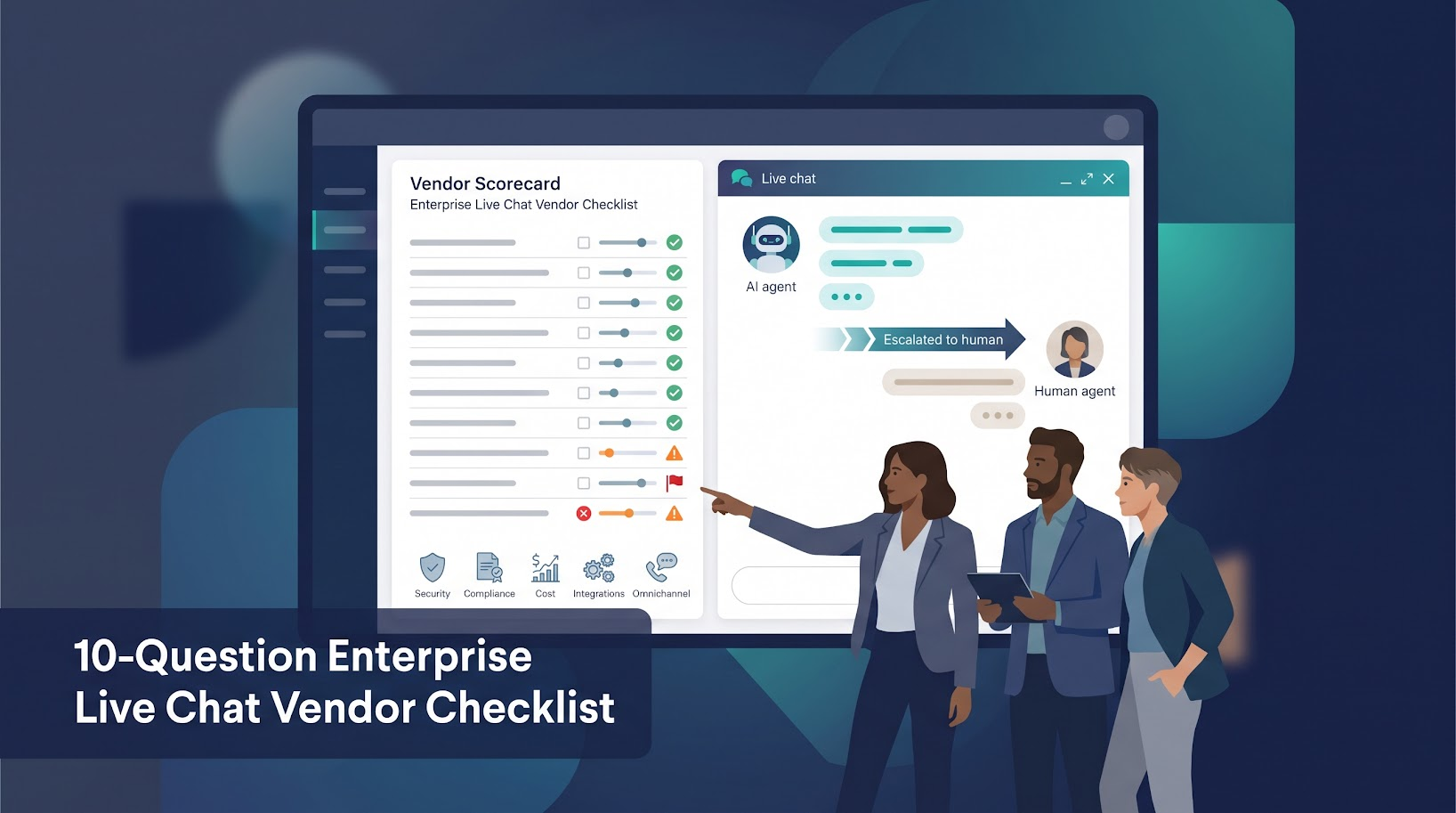
Here’s the short list we hand to vendors before even sharing a screen. Keep it close; every item demands proof, not adjectives.
- Which customer journeys and channels do you support natively today?
- What can your AI truly resolve, and how will you prove it?
- How does the platform hand customers from AI to a human?
- What happens to our data, and is it used to train shared AI models?
- Can you prove your security, compliance, data-residency and accessibility claims?
- What will the platform cost over three years?
- How deeply does the platform integrate with our existing stack?
- Can the platform scale without losing speed, visibility or control?
- What will implementation, migration and ongoing administration require?
- What support, roadmap and exit protections will be in the contract?
The table below translates each question into a single proof request and the red flag that should end the conversation on the spot.
| Question | Proof to request | Instant red flag |
|---|---|---|
| 1 | Live demo: one conversation hops channels without losing context | “We’ll need another product for that” |
| 2 | Accuracy and resolution metrics drawn from your past month of data | “Our AI works best on the samples we provide” |
| 3 | Agent view shows full transcript, detected intent and prior actions | Agent greets customer with “How may I help?” |
| 4 | Written policy covering training, retention and deletion timelines | Vague “We don’t train on most of your data” |
| 5 | Current SOC 2 Type II, WCAG VPAT and, if required, a signed BAA | Certificates “in progress” or “coming soon” |
| 6 | Sample invoice using your forecast volume and peak season | “Pricing depends on your CSM’s quote” |
| 7 | Real-time push-pull demo inside your CRM sandbox | One-way “contact creation” only |
| 8 | Uptime history and stress-test results at projected peak load | “We can’t share customer names, sorry” |
| 9 | Written rollout plan with owner, timeline and rollback path | “Implementation is usually pretty straightforward” |
| 10 | Contract clauses on notice periods, data export and renewal caps | “We’ve never been asked that before” |
Keep this sheet visible during every demo; vendors speak more plainly when they know the grading rubric is fixed.
Before you book a single demo, decide whether “enterprise” truly fits
Enterprise chat adds guard-rails such as SSO, audit logs and regional data storage, but it also adds weight. Make sure you know why you need those controls before you pay for them.
You probably need enterprise-grade controls if …
When sensitive data or tough buyers enter the chat, “good enough” tools break fast. Check whether at least two of the following already apply, or will within 12 months:
- Handling regulated data like patient records or card numbers exposes you to HIPAA penalties or PCI DSS fines.
- Prospects stall the sales cycle until they see SSO, audit logs or a signed BAA.
- Conversation volume doubles during launches across regions and languages, and the team must keep SLAs intact.
- Customers jump between web chat, WhatsApp, email and social, expecting one continuous thread.
- The roadmap calls for open APIs, custom routing rules and role-based permissions your current inbox cannot deliver.
If you nodded at two or more, enterprise chat isn’t a luxury; it’s table stakes. Otherwise, keep cash in the bank and revisit this list when the next security questionnaire lands.
You may be about to overbuy if …
Shiny extras feel safe when growth is messy, yet most teams leave paid capacity idle. Vertice reports that 62 percent of SaaS licences were unused or under-used as of Q3 2026, money that could fund product work instead.
Ask three quick questions:
- Does a single squad still handle every support conversation?
- Is web chat the only channel customers use today?
- Has any prospect ever asked for SSO, audit logs or regional data residency?
If you answered “yes” more than once, a lean shared inbox plus light automation will serve you now. Save the enterprise suite until customers demand the controls and your team has the head-count to run them.
Build a tight shortlist instead of juggling thirty demos
Time sinks multiply when you research every logo you see. Aim for three to five tools, then run each one through the same evidence checklist.
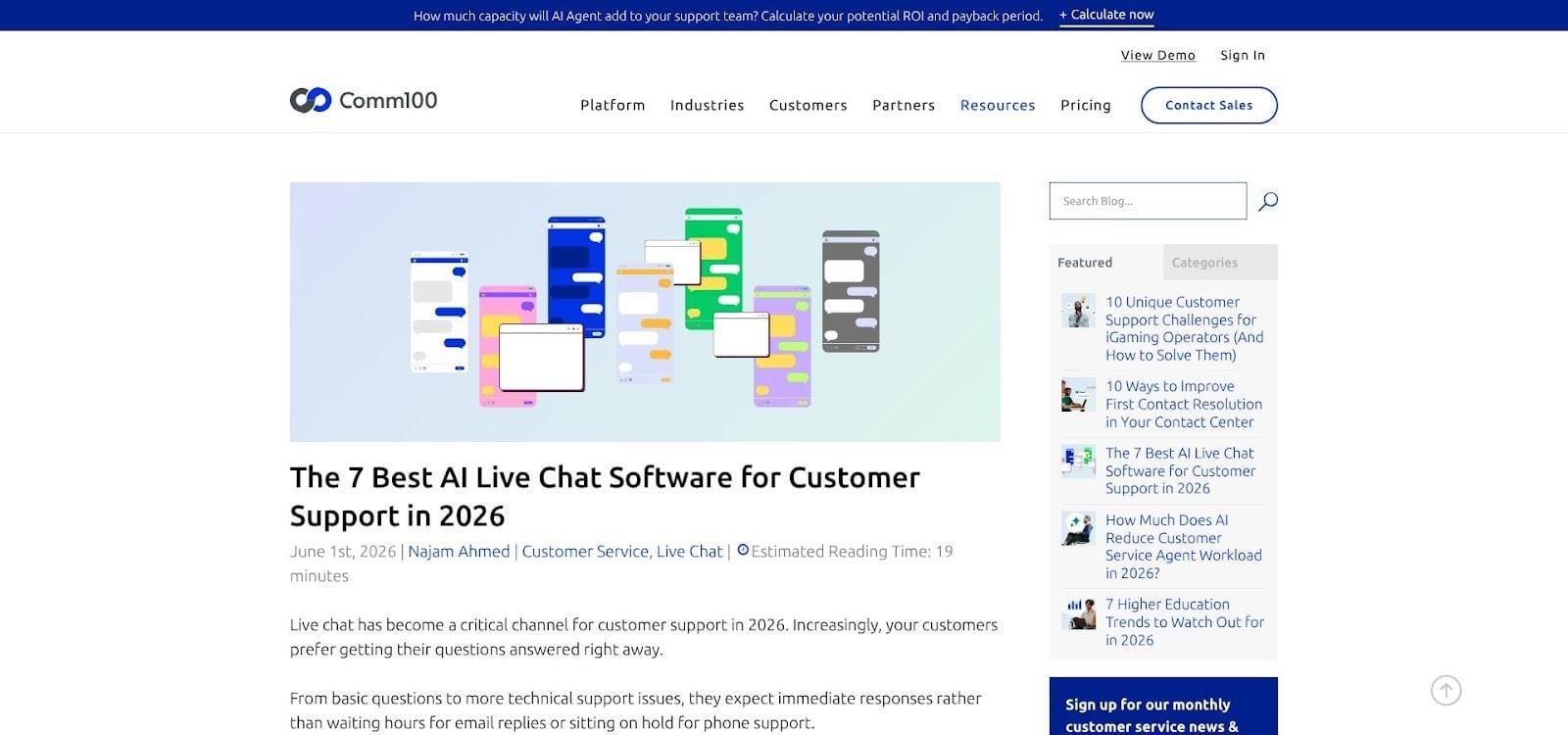
Comm100’s 2026 roundup of Live chat software vendors compares seven platforms against seven filters: AI capability, deployment flexibility, compliance and security, channel breadth, integration depth, pricing transparency and track record in regulated industries.
Those filters cut a bloated longlist down to size. Scan the picks for tools that match your budget and stack, then come straight back. No calls yet.
Comm100’s Trust Center is a useful benchmark for what a vendor can publish. It lists SOC 2 Type II and ISO 27001 alongside PCI DSS, HIPAA and GDPR, a public sub-processor list that gives each provider’s purpose and data location, and a link to a live system status page.
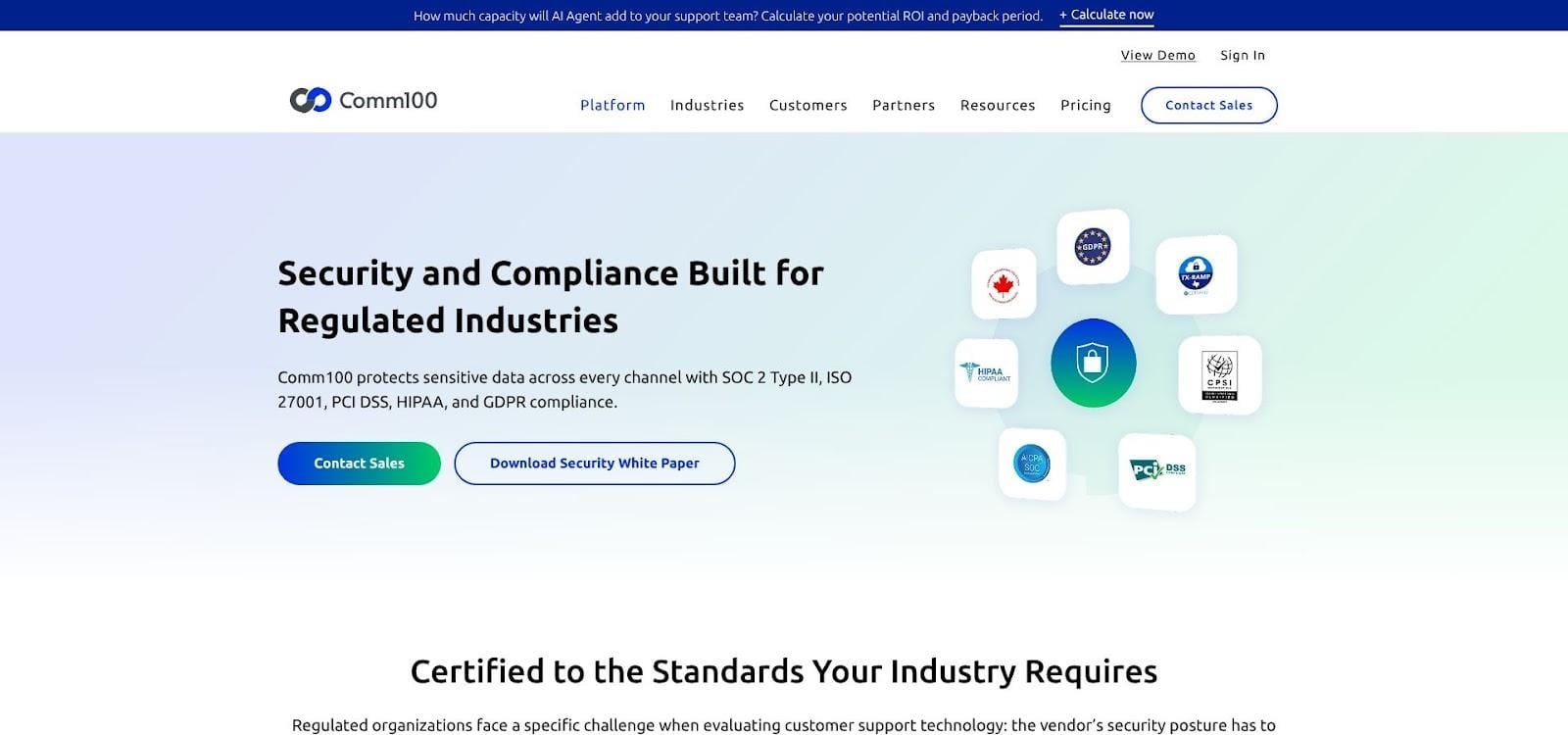
Because these documents are public, you can match a vendor’s security posture against your own requirements before a single sales call. Treat that level of transparency as the baseline for the evidence packets you’ll request from every vendor on your shortlist.
Before the first sales email lands, capture five baseline facts so every demo becomes a verification exercise, not a feature tour:
- Average monthly conversation volume
- Worst peak you’ve recorded
- Active channels and the two you expect to add within 24 months
- Core systems that must exchange data: CRM, identity, knowledge base, analytics
- Three real customer journeys the vendor must reproduce in a trial
Vendors that can’t speak your numbers or replicate your journeys fall off the list in minutes, not weeks, freeing your calendar for deeper diligence.
1. Which customer journeys and channels do you support natively today?
Smooth service means one uninterrupted conversation, across every channel the customer prefers. Yet Zendesk’s CX Trends 2026 report found that 81 percent of consumers want agents to pick up where they left off, and 74 percent get frustrated when they must repeat information.
How to test it in the demo
Act out a real journey: start as a guest on your website, switch to WhatsApp on a phone, reply by email from a train, then return to the site while logged in. Ask the vendor to keep the thread intact, show the agent a single timeline and preserve every action.
Next, separate fact from marketing:
- Which channels are built into the platform, and which rely on third-party plug-ins?
- Do images, files and voice notes travel with the transcript?
- If a policy blocks certain media on WhatsApp, what safeguard prevents a broken experience?
Buy only the channels customers use today, or will likely adopt within two years. Anything else becomes shelf-ware. If a vendor claims omnichannel but loses context at the first hop, move on.
2. What can your AI truly resolve, and how will you prove it?
Chatbots look impressive in a demo; only real tickets reveal whether they can finish the job. A 2024 Gartner survey found that only 14 percent of customer service issues are fully resolved in self-service, and a Gartner survey published in September 2026 found that only 27 percent of customers would try a chatbot again after a negative experience.
Run a scripted test
Hand every vendor the same nine real conversations: one vague question, a policy exception, a billing dispute, an angry rant, a data-privacy request, a multi-step task, a refusal scenario and two language variations. Measure:
- Resolution (containment) rate
- Escalation and reopen rates
- Any hallucinated or policy-breaking answers
- Cost per successful resolution (after credits or outcome fees)
For context, Freshworks reports 65.7 percent ticket deflection for its own Freddy AI Agent in its 2025 Freshservice benchmark. Treat vendor-published figures like that as claims to test on your tickets, not as a target to accept.
True AI partners share these metrics by intent, channel and language, and let you audit the raw transcripts. Pretenders quote industry averages or say results “depend on training.” Trust the numbers, not the demo narration.
3. How does the platform hand customers from AI to a human?
In a survey published on August 4, 2026, Gartner found that 87 percent of customers say access to a human agent is essential when a company uses GenAI for customer service. A handoff that loses context, or makes the customer repeat the story, erases any AI goodwill.
Demo checklist
- Trigger the handoff: type “I need a person” or send an all-caps complaint.
- Clock the response: does the bot route you to an available agent or apologize and loop?
- Verify the agent view: full transcript, detected intent, prior actions and a one-line summary should appear instantly.
- Finish the journey: measure how long it takes the agent to resolve the issue compared with a bot-only path.
If the agent greets you with “How can I help today?”, the platform dropped the baton, and your customer’s patience with it. Prioritize vendors that treat escalation as part of the core flow, not an afterthought.
4. What happens to our data, and is it used to train shared AI models?
Vendor security pages promise everything, yet Verizon’s 2026 Data Breach Investigations Report found a third party involved in 48 percent of breaches. Put the data question on the table before you join that statistic.
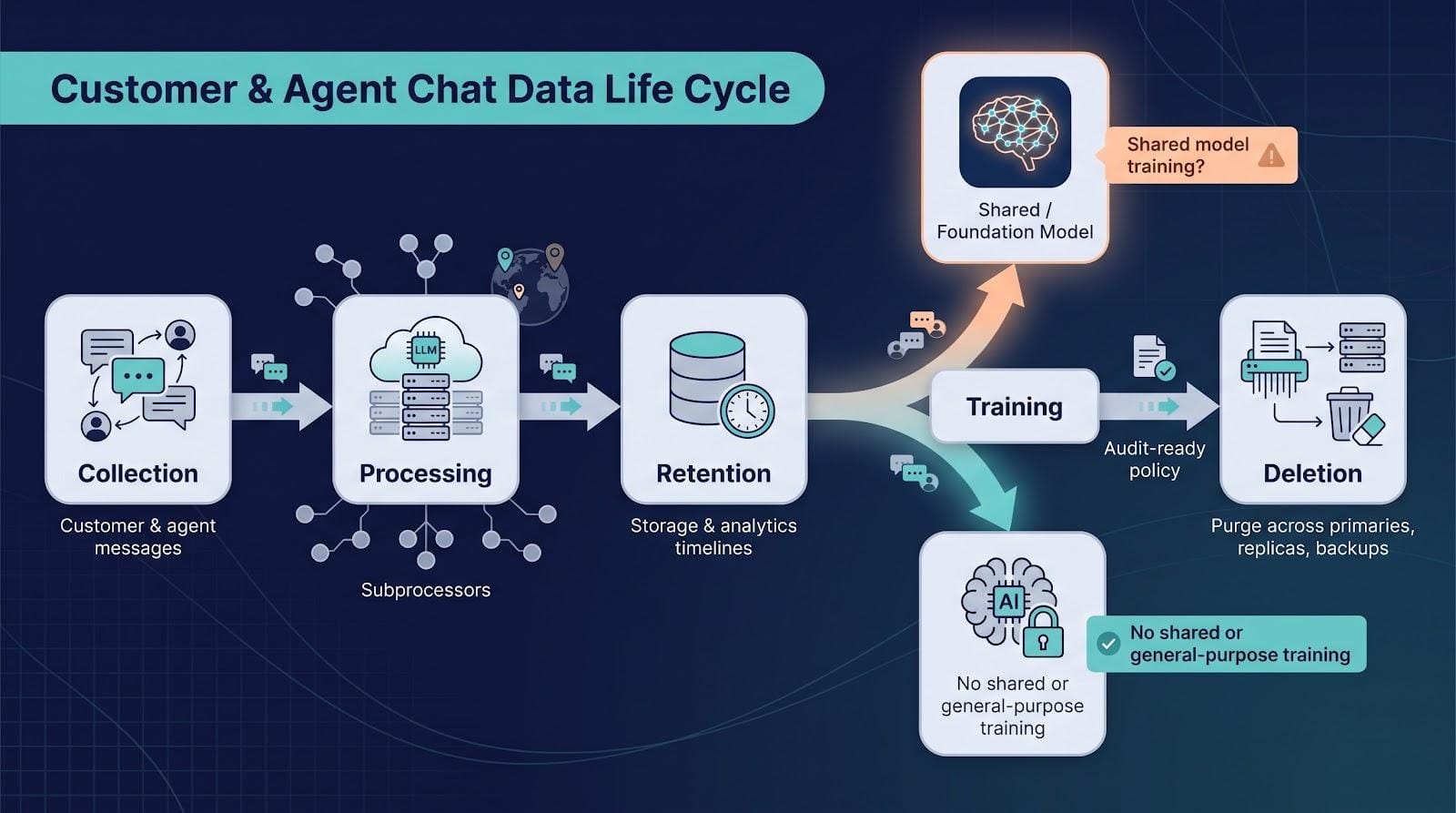
Map the full life cycle
- Collection: what customer and agent data is stored, and in which regions?
- Processing: which subprocessors, including LLM providers, touch raw content?
- Retention: default and configurable timelines for hot storage, analytics and backups.
- Training: is any of your data used to improve a shared or foundation model?
- Deletion: can the vendor prove purge across primaries, replicas and backups within a defined SLA?
Require audit-ready answers
Ask for a written policy or contract clause as plain as the one Cevro, an AI agent provider for iGaming operators, publishes on its website:
“We do not train models on your player data.”
Accept nothing vaguer than that. If a rep says, “we don’t train on most of your data,” get the policy in writing, then walk away if it never arrives.
5. Can you prove your security, compliance, data-residency and accessibility claims?
Paper badges mean nothing without scope and dates, and accessibility is now part of the risk. Law firm Seyfarth Shaw counted 3,117 federal website accessibility lawsuits in the United States in 2025, up 27 percent from 2024. A vendor that can’t produce evidence passes that risk to you.
Request the full evidence pack
- Current SOC 2 Type II report and ISO 27001 certificate (confirm the AI add-on is in scope).
- List of subprocessors with region and purpose; require advance notice of changes.
- Data-processing agreement (GDPR) and, if you handle PHI, a signed BAA.
- RTO/RPO targets, last disaster-recovery drill date and public status page.
- WCAG 2.1 AA VPAT or Accessibility Conformance Report; ask to keyboard-navigate the widget during the demo.
- EU AI Act compliance toggle: chatbot must disclose AI use to EU users (required from August 2, 2026).
No evidence, no deal.
6. What will the platform cost over three years?
Sticker prices tell only chapter one. Vertice’s SaaS inflation tracker shows software costs rising at a record 16.4 percent year on year in June 2026, and still at 14.3 percent in early September data. At around 14 percent a year, the same contract costs close to 50 percent more by year three. Build your model around that reality, not the day-one quote.
Ask for one sample invoice
- Agent seats (named vs. concurrent)
- AI usage: per automated resolution, conversation or action credit
- Channel fees: WhatsApp, SMS, voice minutes
- Storage and transcript retention beyond the included limit
- API calls, webhook events and sandbox environments
- Implementation, migration and premium support
- Renewal uplift caps and usage-based overages
Define the billable event in writing. Is a “resolution” a full fix, a partial handoff, or any AI message that isn’t an error? Vague definitions turn into budget overruns.
Finally, normalize costs: divide projected spend by 1,000 conversations and by 1,000 successful resolutions. The cheapest seat price often hides the most expensive future.
7. How deeply does the platform integrate with our existing stack?
Integration gaps drain AI value quickly, and legacy systems are among the most common reasons AI projects stall after the pilot.
Proof checklist for the demo
- Push a live-chat transcript into your CRM sandbox, then pull account data back into the chat in under five seconds.
- Disable the API key; the platform should queue, retry and alert, never drop data silently.
- Check latency: edits in the CRM must appear in the chat view in near real time.
- Review rate limits and error logs: are failures visible to admins or buried in dashboards?
- For Microsoft-heavy teams, hop from Dynamics 365 to SharePoint to Teams without copy-pasting IDs.
Ask who owns break-fix support for each connector and how version deprecations are communicated. If the “integration” is a one-way contact create, or breaks the moment you throttle traffic, treat it as a red flag, not a feature.
8. Can the platform scale without losing speed, visibility or control?
Uptime and latency get pricey when volume spikes. Splunk’s 2026 Hidden Costs of Downtime study puts the average loss at USD 15,000 per minute for Global 2000 firms.
Ask the vendor to prove three things
- Capacity: show concurrency limits and message-delivery latency at double your current peak.
- Reliability: provide a public status page and a contractual uptime target of at least 99.9 percent (“three nines” is the accepted SaaS baseline).
- Recovery: state RTO/RPO targets and the date of the last disaster-recovery drill.
During the demo, watch the dashboards: queue depth, AI containment, first-contact resolution and cost per resolution should update in near real time. If you need a data scientist to surface a basic KPI, or if service credits barely cover a single outage, keep shopping.
9. What will implementation, migration and ongoing administration require?
Implementation, migration and professional services are often billed separately from the subscription, and on enterprise deployments they can add a large share to first-year cost. Treat that surcharge as likely, not optional.
Non-negotiable rollout artifacts
- Day-by-day project plan: tasks, owners, prerequisites and rollback steps.
- Data migration sheet: transcript import method, field mapping and validation checks.
- Identity and access map: SSO configuration, role matrix and admin fallback accounts.
- Knowledge-base clean-up log: who writes, reviews and publishes articles before launch.
- Pilot exit criteria: metrics for CSAT, resolution time and admin hours spent tweaking intents.
After go live, count clicks. If changing a routing rule or editing a prompt requires a support ticket, you’ll pay professional-services rates every time marketing tweaks an offer or compliance updates a policy. Choose tools that let the people closest to customers stay in control.
10. What support, roadmap and exit protections will be in the contract?
Industry consolidation is speeding up. Zendesk agreed to buy Forethought in March 2026, and Salesforce, which agreed in June 2026 to acquire Fin, the AI customer service company formerly known as Intercom, for USD 3.6 billion, completed that deal on September 10, 2026. If your vendor is next, you need clear escape clauses in writing.
Non-negotiable clauses
- Change control: minimum 90-day notice for feature deprecation, pricing changes or ownership transfer, plus the right to terminate without penalty if the change is material.
- Renewal caps: annual price increases limited to a fixed percentage or CPI.
- Seat flexibility: ability to reduce licenses or committed usage once per contract year.
- Export and deletion: full transcripts (human and AI), attachments, profiles, knowledge articles and audit logs in open formats; written confirmation of purge within 30 days of contract end.
- Support SLAs: severity definitions, response times and escalation path, including a named technical account manager for Severity 1 issues.
For reference calls, cover three angles: a recent go-live, a customer in your industry and, if sales agrees, a customer that moved away. Vendors confident in their off-boarding story rarely hide skeletons elsewhere.
Turn the answers into a 100-point scorecard
A structured scorecard keeps the decision tied to evidence rather than to the most polished demo. Use the grid below as a starting point, then adjust the weights to match your risk profile.
| Evaluation area | Default weight |
|---|---|
| AI quality + human handoff | 20 |
| Data, security, compliance, accessibility | 20 |
| Integrations + ecosystem fit | 15 |
| Three-year TCO | 15 |
| Scale, reliability, reporting | 15 |
| Implementation, administration, support | 10 |
| Roadmap + exit protection | 5 |
| Total | 100 |
- Raise Data/security if you handle PHI; boost AI/scale if volume is doubling.
- Document any change before vendors pitch so no one can claim “moving goalposts.”
Hard fails (score = 0 whatever the math says)
- No BAA when required
- Data stored outside approved regions
- Widget fails basic WCAG 2.1 AA checks
- No full-transcript export
Run one trial script, one scoring sheet and hold one decision meeting. Archive the completed scorecard; finance and procurement will need the paper trail at renewal time.
Frequently asked questions
What makes live-chat software “enterprise-grade”?
Enterprise chat is defined by controls such as SSO, audit trails, regional data storage, WCAG-compliant widgets and an SLA with meaningful service credits, not by your company’s size or agent head-count.
How much does enterprise live chat cost?
Seat price is only chapter one. Plan for AI usage fees (some vendors charge per automated resolution), WhatsApp and SMS fees, storage, API overages, implementation services and annual renewal uplifts. Divide total cost by 1,000 resolved conversations to test scalability.
Is live chat different from a chatbot or an omnichannel platform?
Live chat is the real-time conversation pane. A chatbot automates replies inside that pane. An omnichannel platform stitches chat, email, messaging and voice into one timeline so the customer never repeats information. You usually need all three layers to satisfy enterprise buyers.
How many vendors should we shortlist?
Three to five. Fewer invites blind spots; more blurs differences and delays launch.
What belongs in a live-chat proof of concept?
Use real conversations from last month, one integration to a core system, at least one high-stakes journey and a forced AI-to-human handoff. Track resolution rate, CSAT, agent minutes and cost per successful outcome: the same metrics you’ll manage in production.
One last thing: choose proof over promises
A polished demo proves nothing. The right platform handles your data, your journeys and puts every commitment in writing.
Copy the ten questions, attach the 100-point scorecard and send both to each vendor before the first call. Insist on:
- Accuracy measured on last month’s transcripts
- Cost modeled on your three-year forecast
- Compliance evidenced with current certificates and written policies
Silence, hesitation or marketing slides in place of documents are answers in themselves.
Share this process with the next founder who asks for tool advice; saving one team from an expensive regret compounds its value.